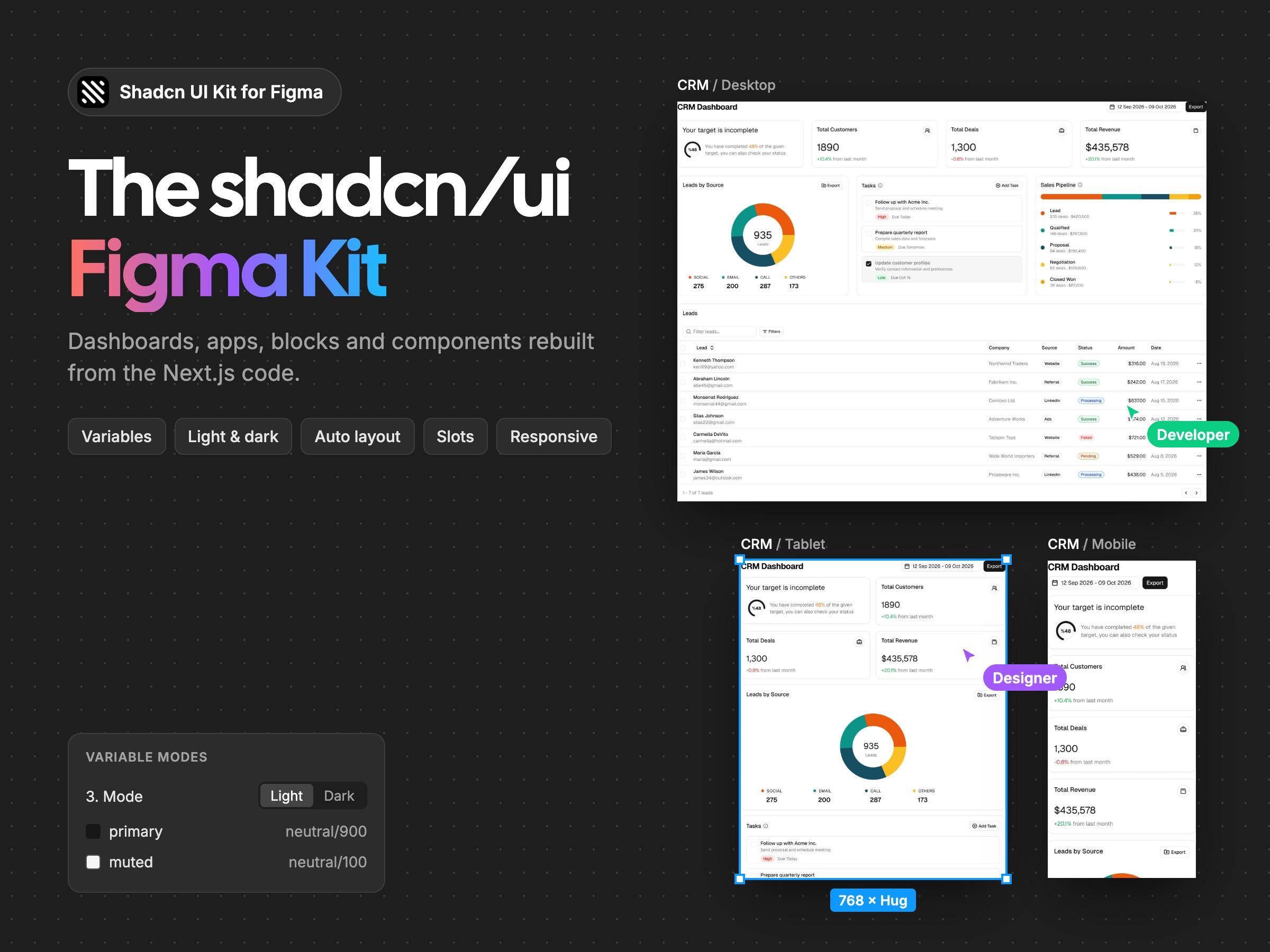
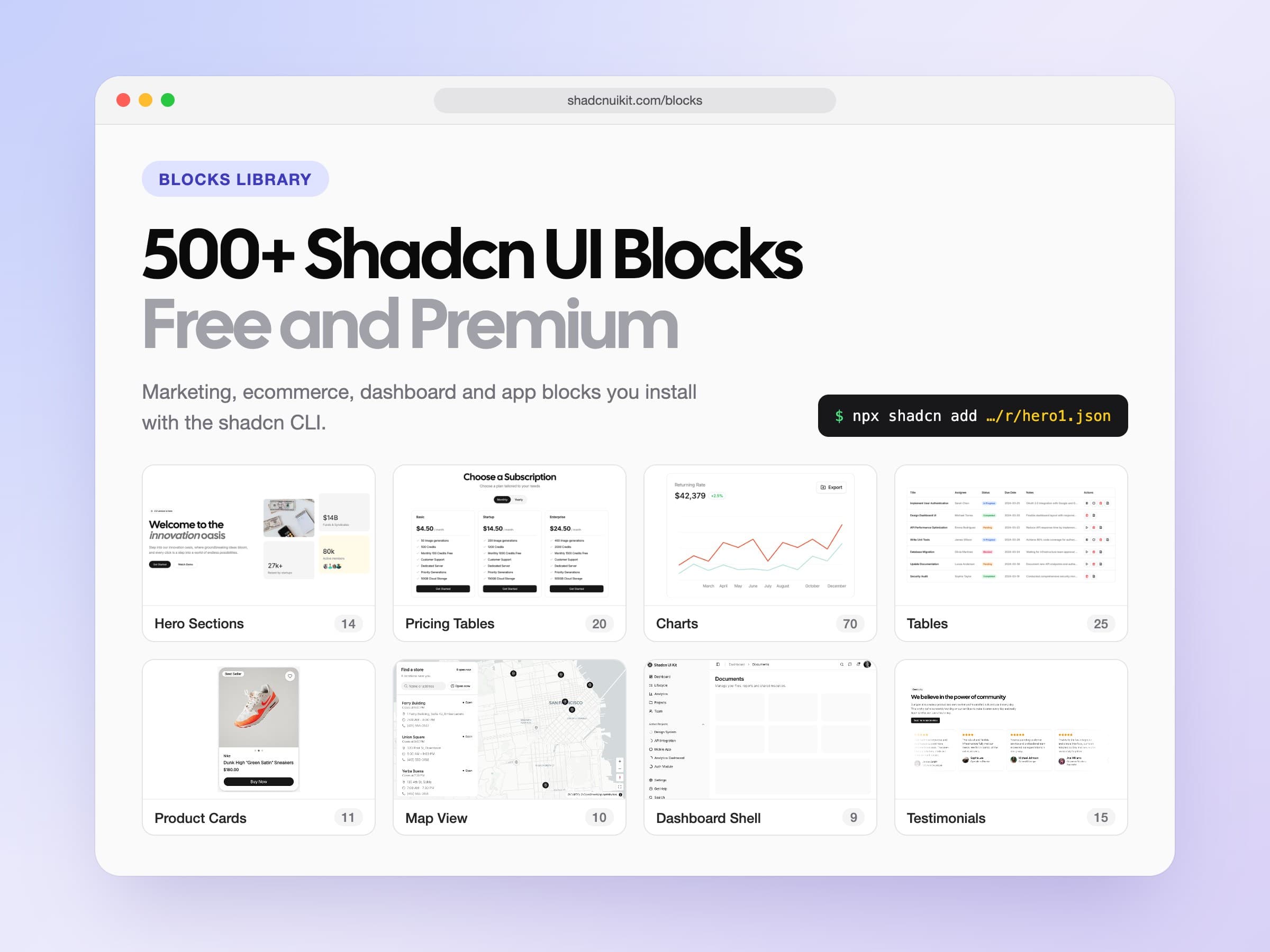
Shadcn Website Templates: 6 Next.js Templates Built with shadcn/ui
A detailed tour of every shadcn/ui website template in Shadcn UI Kit: an e-commerce store, AI and SaaS landing pages, a chat app, a portfolio and a free waitlist page, plus how to choose, set up, customize and deploy them.
shadcn/ui gives you excellent building blocks: buttons, dialogs, forms, tables and dozens of other components that you own and can change. What it does not give you is a finished website. Turning those components into a landing page that converts, a store that sells or an app that feels real still takes days or weeks of design, layout and copy work.
That is where shadcn website templates come in. A template is a complete, designed website built with shadcn/ui, Tailwind CSS and Next.js. You open it, replace the content with your own and launch, instead of assembling every page from scratch. In this post we walk through every shadcn website template in Shadcn UI Kit that is available today: what each one is for, which pages it includes, what makes it different and who it suits. Then we cover how to choose the right one, how to set it up, how to customize it with your brand and AI tools, and how to deploy it.
What is a shadcn website template?
A shadcn website template is a full Next.js project where every page is already designed and built with shadcn/ui components. It is not a theme you install on top of a CMS and it is not a collection of loose components. It is a real codebase with routes, layouts, data files and styles, ready to run on your machine with one command.
Because the components are regular shadcn/ui files, everything works the way you already know. Colors come from the CSS variables in globals.css, components live in components/ui, and you can add new components with the shadcn CLI. If you have built anything with shadcn/ui before, you will feel at home in the code within minutes.
Why start from a template?
- Speed. A finished design with real sections, responsive layouts and working interactions saves weeks of work, especially for marketing sites that need to look polished on day one.
- Good structure. The templates separate content from layout. Copy, pricing plans, products and reviews live in small data files, so changing them does not mean digging through JSX.
- Production details. Metadata, SEO, dark mode, accessibility, loading states and mobile layouts are the parts that are easy to skip when you build fast. Templates have them in place.
- Full ownership. You get the source code. There is no lock in, no page builder runtime and no monthly fee for the site itself. Change anything you like.
- A strong base for AI tools. Claude Code, Cursor and Codex work best on clean, well organized projects. A template gives them a clear structure to follow when you ask for new sections or a different brand.
The shadcn templates at a glance
There are six templates available today, five premium and one free. All of them are built with Next.js, React, TypeScript, Tailwind CSS and shadcn/ui, and every one has a live demo you can open before you decide.
| Template | Type | Best for | Price |
|---|---|---|---|
| Shopcn | E-commerce store | Independent brands and client stores | $69 |
| Signalry | AI SaaS landing page | AI startups and SaaS teams | $59 |
| Cosmic | SaaS landing page | Software products and startups | $49 |
| Soho | Chat app | Messaging and support products | $49 |
| Neofolio | Portfolio | Developers, designers and freelancers | $49 |
| Waitly | Waitlist page | Validating an idea before launch | Free |
Every premium template is also included in the Pro, Team and Enterprise plans, so if you need more than one, a plan is usually the better deal.
Shopcn: a shadcn e-commerce template
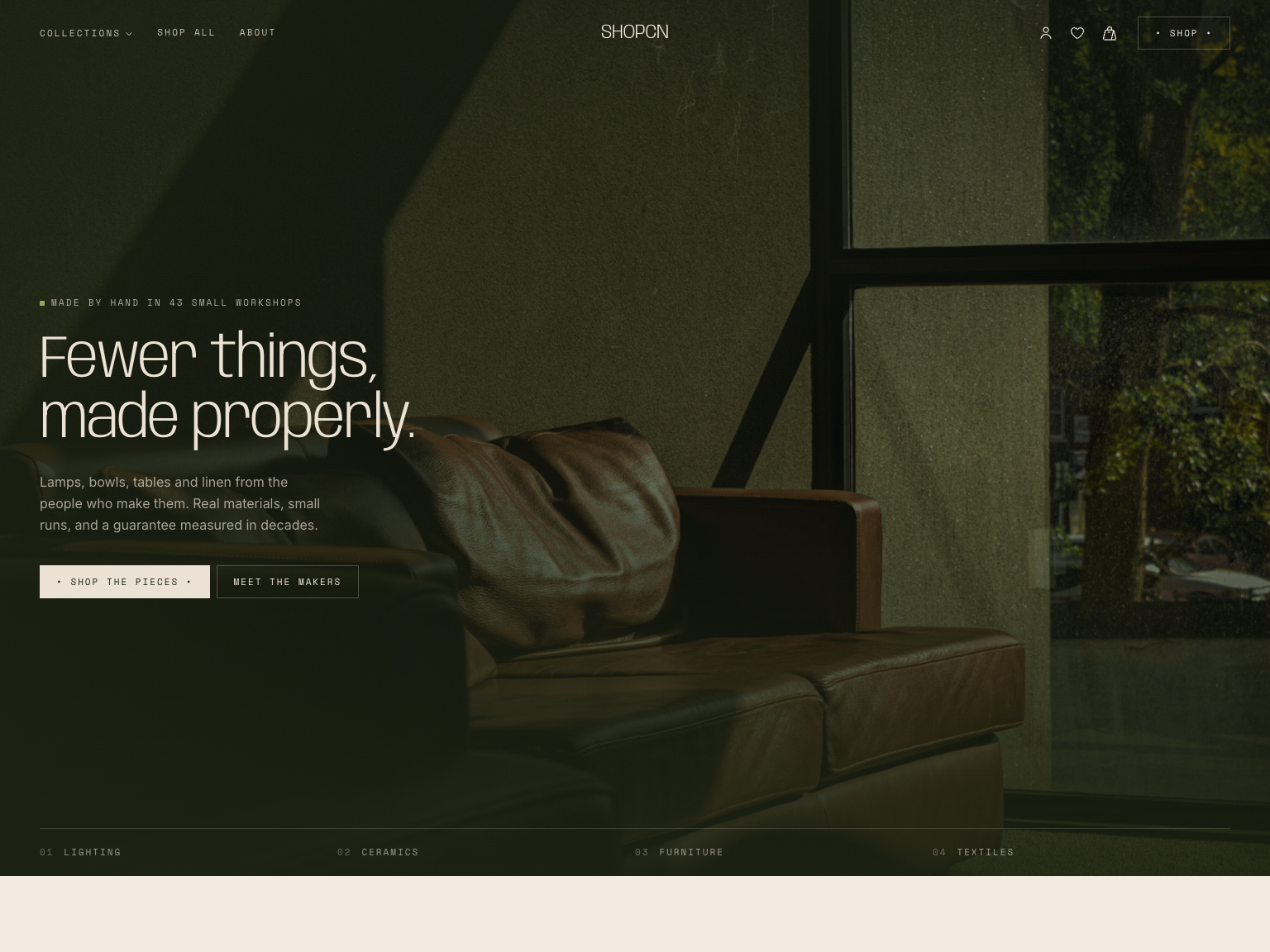
Shopcn is a complete storefront for independent brands. Most shadcn templates stop at a landing page. Shopcn covers the whole shopping journey, from the first visit to the order request, along with the content and policy pages a real store needs. Its warm, editorial design gives small brands a curated look instead of a generic store theme.
Pages included: home with hero, featured collection, new products and FAQ; a product catalog with collection filters and sorting; product detail pages with images, quantity selector and wishlist button; cart with quantity controls and order summary; checkout with a delivery details form; sign in; about; FAQ; shipping and returns; privacy policy, terms of service and cookie policy; a design system page; and a custom 404.
What stands out:
- Collection filters and sort options are stored in the URL, so filtered views can be shared and bookmarked.
- The cart and wishlist are managed with Zustand and saved to localStorage, so they survive page reloads. A wishlist drawer gives quick access from any page.
- The whole catalog lives in a single
data/products.tsfile. Add a product and its page, filters and metadata are generated automatically. - Every page sets its own title, description, canonical URL and Open Graph tags, and cart, checkout and sign in pages are marked
noindex. - A cookie consent bar is already in place.
Tech notes: Next.js 16, React 19, Tailwind CSS 4, shadcn/ui on Radix UI, Motion animations and Hugeicons. Shopcn uses a light theme only, because the palette is designed around warm, light tones. Colors are shadcn/ui CSS variables, so you can add a dark palette if you need one.
Good to know: Shopcn is a frontend template. It does not include a payment provider or a product database, which means you can connect it to whatever you use: Shopify, Medusa, Saleor, a headless CMS or your own API for products, and Stripe or your commerce platform for checkout.
Signalry: an AI SaaS landing page template
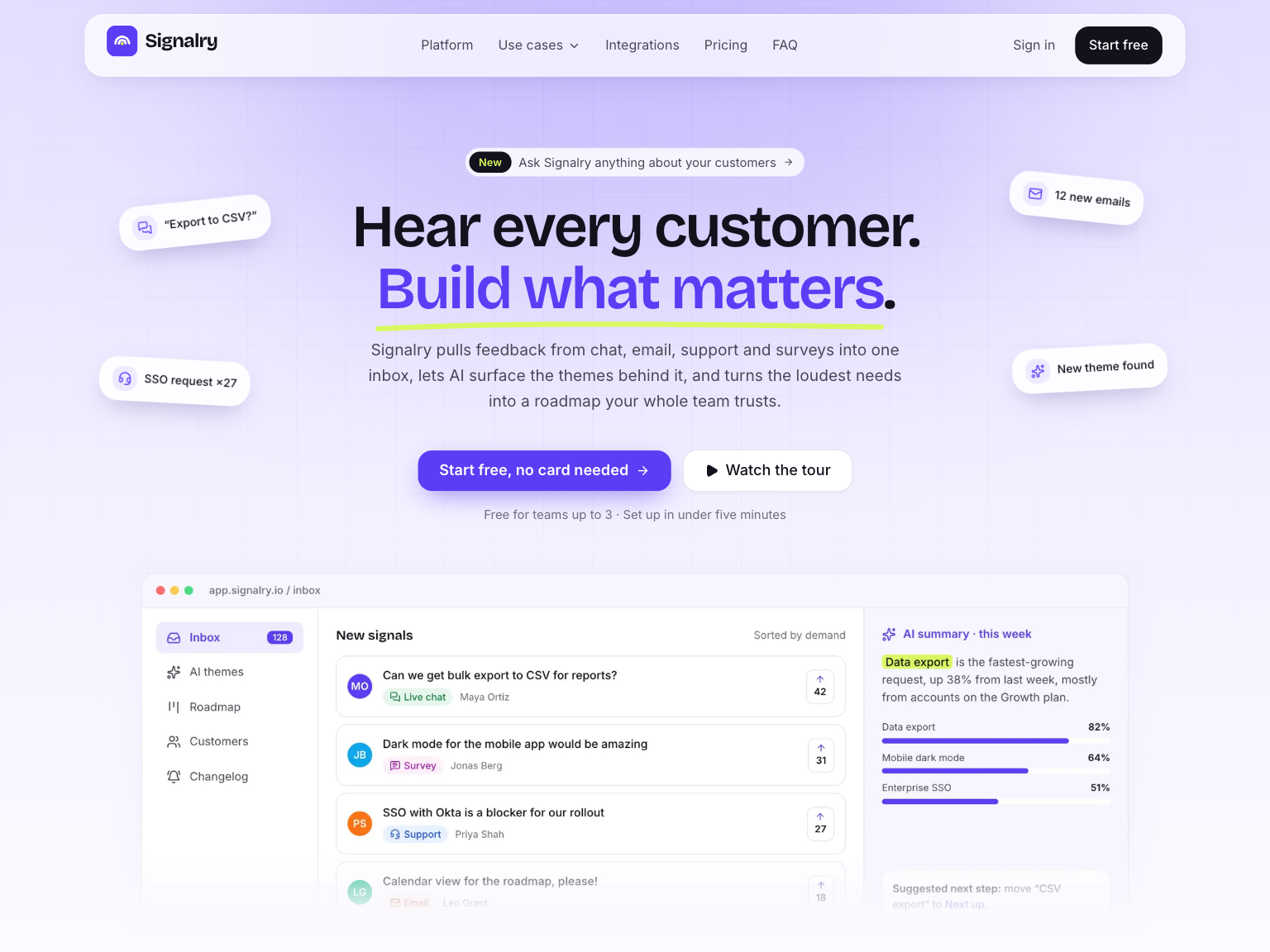
Signalry is an animated landing page for AI and SaaS products. Its biggest difference is that the product visuals are built in code instead of exported as screenshots. The inbox, charts, roadmap board and AI chat previews are real React components, so they stay sharp on every screen and you change their text and data instead of redrawing images.
Pages included: one long landing page with hero, features, workflow steps, AI assistant, advantages, integrations, testimonials, pricing with three plans, FAQ and footer; a sign in page with email and password validation next to a product showcase; and a video tour modal that plays your product video from the hero.
What stands out:
- Product mockups as components, which makes the template unusually easy to adapt to your own product.
- Smooth scroll reveals and hover animations built with Motion, which respect the reduced motion setting of the visitor's system.
- Interactive pricing and FAQ sections.
- Brand colors live in shadcn/ui tokens, so changing a few variables restyles the whole site.
Tech notes: Next.js 16, React 19, Tailwind CSS 4, shadcn/ui on Radix UI and Motion. The sign in form validates on the client and is ready to connect to Auth.js, Clerk, Supabase Auth or your own backend.
Who it is for: AI and SaaS founders who need to explain a complex product in a few seconds, developers building marketing sites for clients, and product teams that iterate on messaging and pricing. It works just as well for analytics, feedback and productivity tools that are not AI products.
Cosmic: a SaaS landing page template
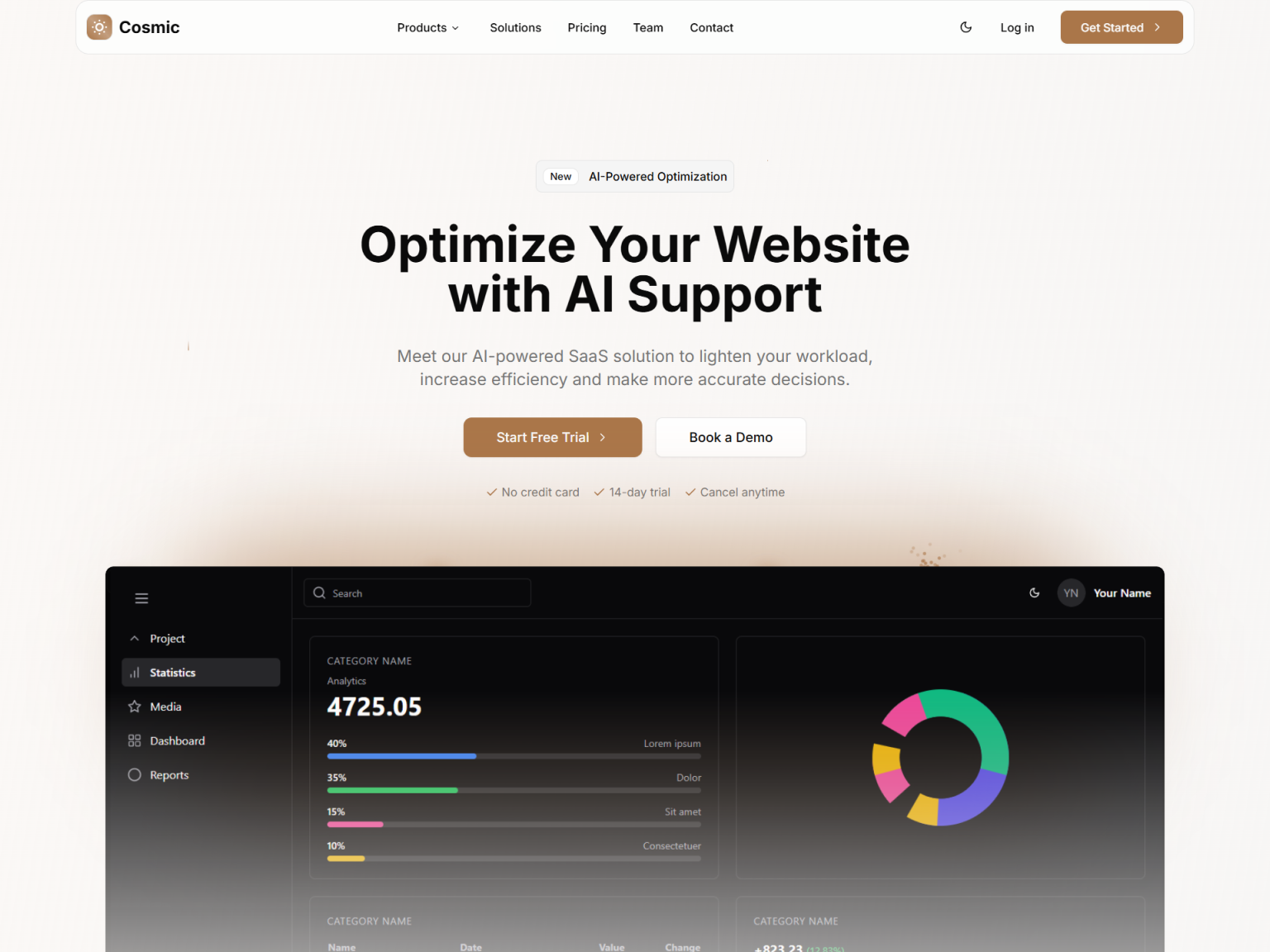
Cosmic is a conversion focused, one page SaaS website. The story of your product unfolds as visitors scroll, and every section is arranged to move them toward your call to action. An editorial type pairing of Instrument Serif headings and Geist body text gives it a refined, premium feel that does not look like a generic page builder site.
Sections included: navbar, hero with social proof and a product preview, sponsors logo strip, benefits, how it works with animated connectors, features with a row of key stats, services, integrations with two scrolling logo columns, testimonials carousel, team, pricing with a monthly and annual toggle, community, a validated contact form, FAQ, newsletter and footer. A split screen login page with social login buttons is included too.
What stands out:
- Each section is its own component and is imported once in
app/(site)/page.tsx, so you can reorder, remove or duplicate sections freely. - Content such as features, pricing plans, reviews, team members and FAQ entries lives in small data files in the
@datafolder. Edit the arrays and the sections update. - Scroll animations use Motion and live in one small reveal component, so you can tune speed, distance and delay in one place.
- The contact form uses React Hook Form and Zod for validation.
- Dark mode with a theme toggle in the navbar, following the visitor's system preference by default.
Tech notes: Next.js 16, React 19, Tailwind CSS 4 and shadcn/ui, with pnpm as the package manager.
Who it is for: SaaS founders and indie hackers who want a credible product website the same day they start, developers delivering marketing sites for clients, and marketing teams that change copy and sections often. Because the sections are generic marketing blocks, Cosmic also works well for apps, agencies and digital products.
Soho: a shadcn chat app template
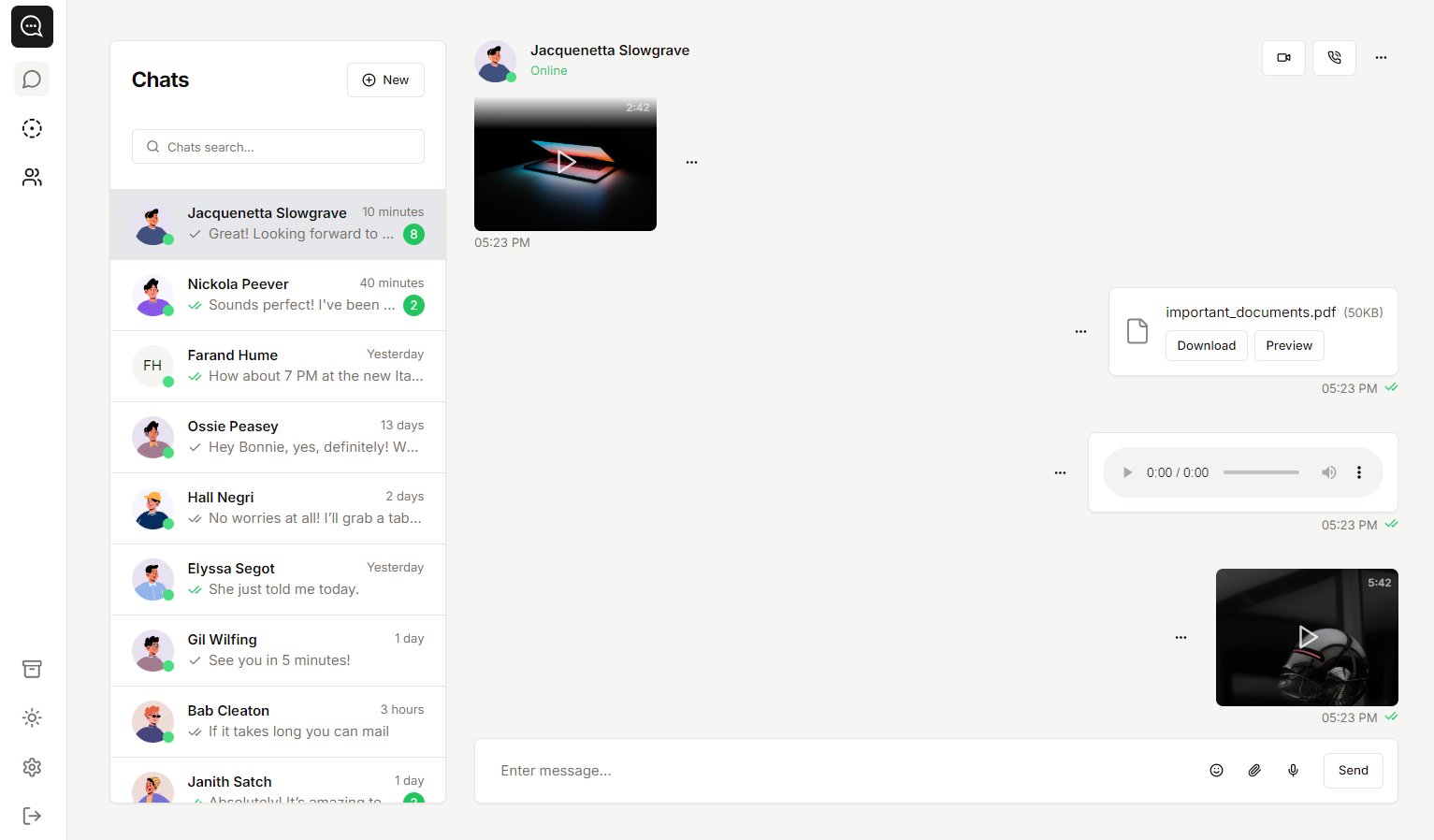
Soho goes further than a typical website template. It is a complete chat application UI, with working screens, state management and reusable components instead of static mockups. You can use it as the starting point for a messaging product, or as a library of chat patterns to bring into an existing app.
Screens included: a chat list with search and status stories; a conversation view with text, image, video, voice and file messages; archived chats; a contact directory with detail panels and an add contact dialog; group details; a new message dialog; a settings dialog; and an incoming call screen. A guest area includes login, register, forgot password and OTP verification pages.
What stands out:
- Message bubbles for every common type, with read receipts and status icons. Media opens in a lightbox for full screen viewing.
- On desktop the chat list and conversation sit side by side. On mobile the layout switches to a single panel with back navigation, just like native messaging apps.
- Data lives in small, typed Zustand stores, and the UI is split into focused components such as
chat-list,chat-contentandchat-footer. - Light, dark and system themes, switched from the settings dialog.
Tech notes: Next.js 16, React 19, Tailwind CSS and shadcn/ui on Base UI primitives, the newer headless library from the creators of Radix and Material UI. The components look and work like standard shadcn/ui.
Good to know: Soho does not include a realtime backend. Chats and contacts come from local stores filled with sample data. Replace them with your own API, a WebSocket server or a realtime service such as Supabase, Firebase, Pusher or Ably.
Neofolio: a shadcn portfolio template
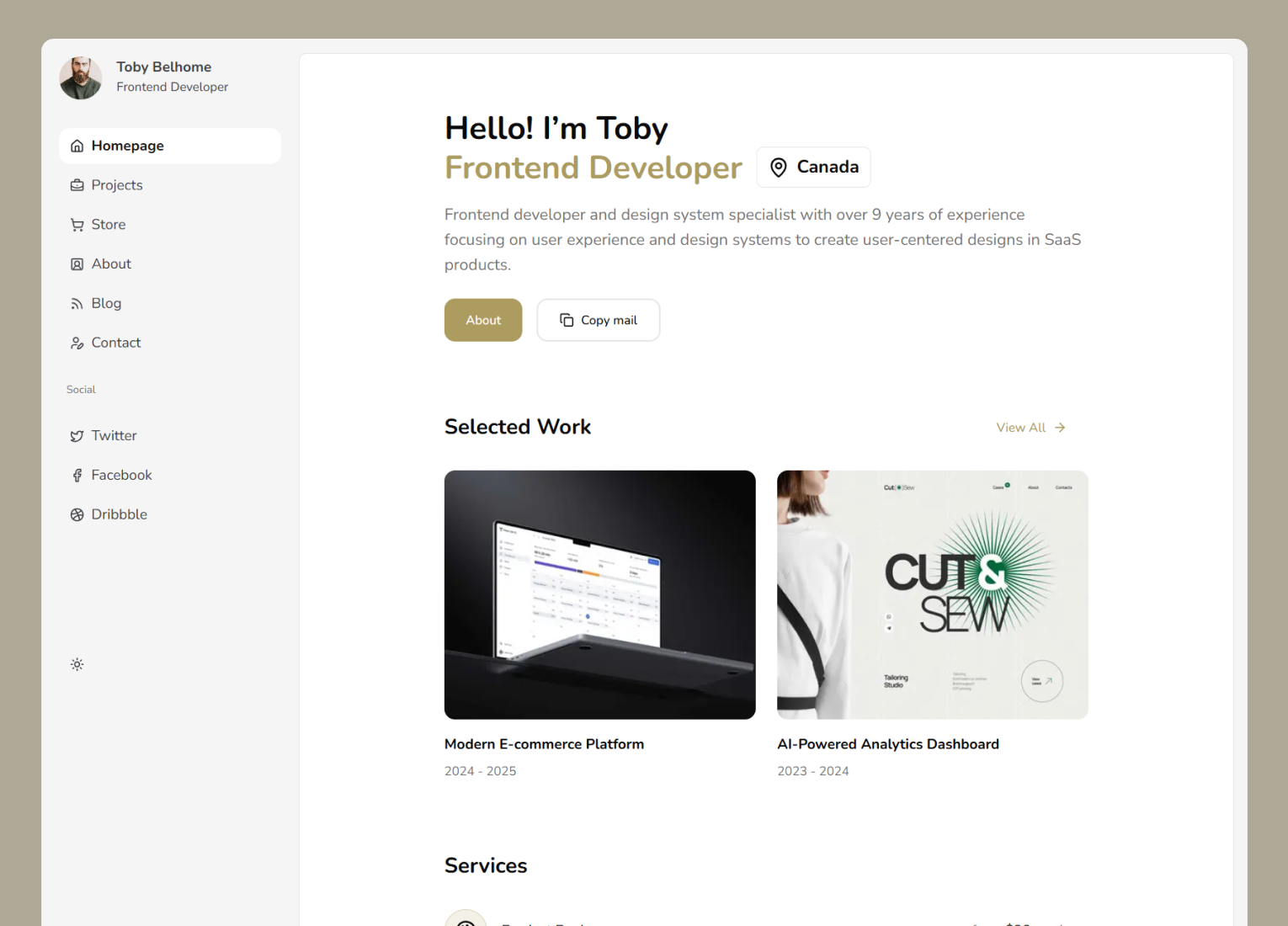
Neofolio is a portfolio template for personal brands, with a dashboard style layout instead of a long single page resume. A sidebar gives your projects, writing and products their own places, so your site reads more like a product interface than a CV.
Pages included: homepage with an introduction, selected projects, latest articles and contact details; projects and project detail pages; a store and product detail pages for digital products such as templates, UI kits and plugins; about; blog and blog post pages; and contact.
What stands out:
- Portfolio, blog and a small digital store in one project, so you do not have to stitch separate themes together.
- Every project, product and post has its own detail page that you can share with a direct link.
- Products can link to your own checkout, Gumroad, Lemon Squeezy or any service you prefer.
- Light and dark themes that follow the visitor's system preference.
Who it is for: developers and designers presenting side projects and case studies, freelancers who want to sell services or digital products from their portfolio, and anyone building a personal brand.
Waitly: a free shadcn waitlist template
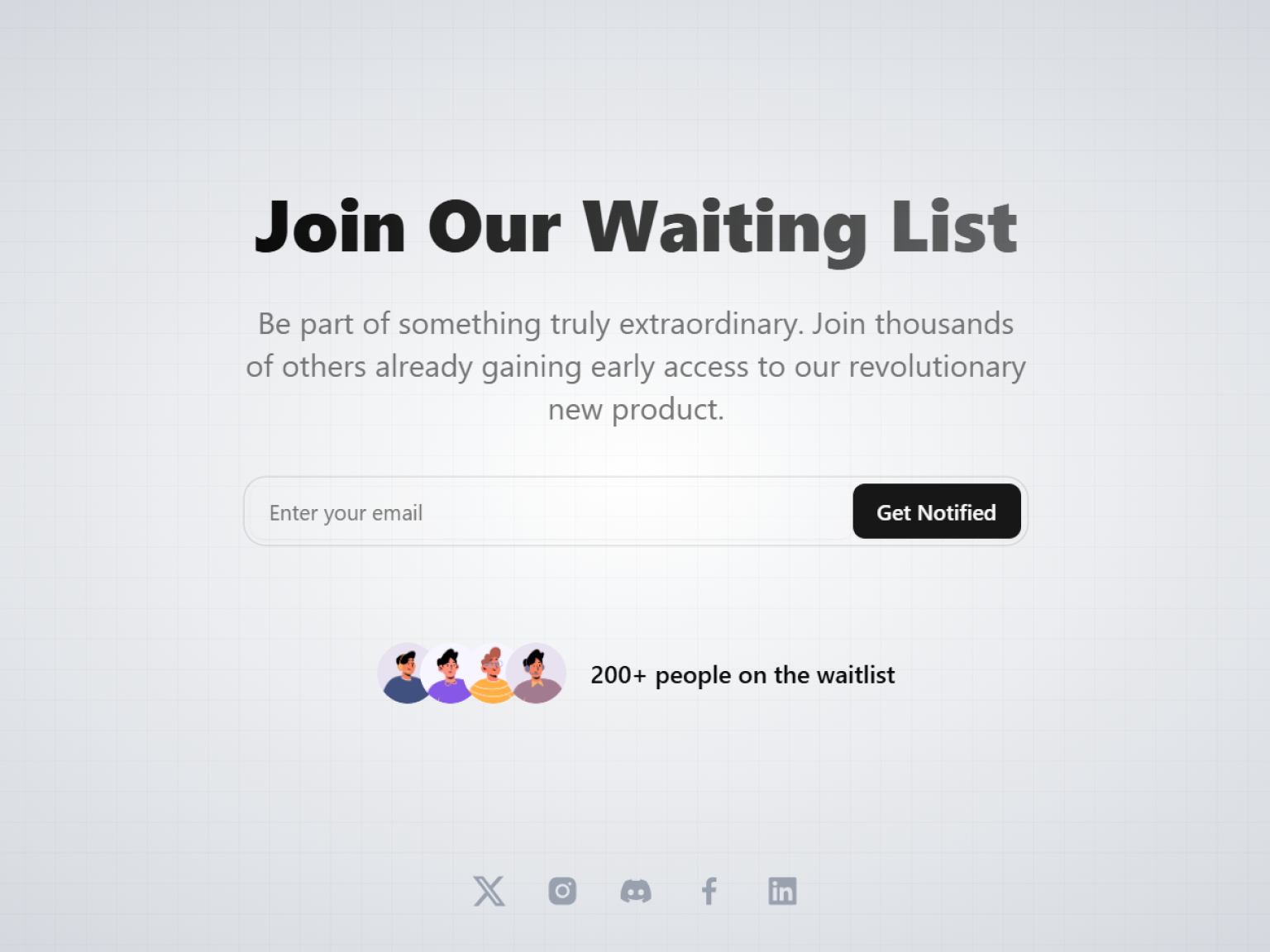
Waitly is a free and open source waitlist page. It has a single goal: collecting signups before your product launches. It is small on purpose, so you can publish it in an afternoon and get back to building.
Sections included: your product name, a short pitch and launch messaging; an email signup form that shows a confirmation toast; and links to your social profiles.
What stands out:
- Free to download from GitHub, no account needed, and usable in personal and commercial projects.
- Light and dark styles, TypeScript and a fully responsive layout.
- A tiny, readable codebase that makes a perfect first project for AI coding tools.
Good to know: the signup form is UI only. Connect the submit handler to a database, a server action or an email service such as Resend, Mailchimp or ConvertKit to store emails.
How to choose the right template
The right template depends less on how it looks and more on what the site has to do. A few questions help:
- Are you selling physical or digital products? For a store with a catalog, cart and checkout, choose Shopcn. For a few digital products next to your work, Neofolio's store pages are enough.
- Are you explaining a software product? Choose Signalry if your product is AI driven or benefits from showing live interface mockups. Choose Cosmic for a classic, conversion focused SaaS page with a broad set of sections.
- Are you building an application, not a website? Soho gives you a complete messaging interface. For admin panels and internal tools, the admin dashboards are a better fit than a website template.
- Is it about you or your studio? Neofolio presents projects, writing and products in one place.
- Are you not ready to launch yet? Start with Waitly, collect signups, and move to Cosmic or Signalry when the product is ready.
How to get and run a template
Premium templates are delivered as private GitHub repositories, so you always have the full history and future updates.
- Buy a single template on its page, or get every premium template with a Pro, Team or Enterprise plan.
- Sign in, open your account and request GitHub access with your GitHub username.
- Accept the invitation from GitHub.
- Clone the repository or download it as a zip.
Then install the dependencies and start the development server:
git clone https://github.com/bundui/cosmic.git
cd cosmic
pnpm install
pnpm dev
Open http://localhost:3000 and the full site is running locally. The templates use pnpm, and Shopcn also works with npm, yarn and bun. Recent templates run on Next.js 16 and React 19, so use Node.js 20.9 or later.
Waitly is free, so you can clone it from its public GitHub repository without an account.
How to customize a template
Change the content
Each template keeps its content apart from its layout. Cosmic keeps features, plans, reviews and FAQ entries in the @data folder, Shopcn keeps the whole catalog in data/products.ts, and Soho keeps chats and contacts in small stores. Start by replacing the sample content with your own, then look at the layout. Real copy and real numbers show spacing problems right away.
Change the brand
Colors are shadcn/ui CSS variables in globals.css, and fonts are loaded with next/font in the root layout. Changing a handful of values restyles every page:
:root {
  --primary: oklch(0.55 0.2 264);
  --primary-foreground: oklch(0.98 0 0);
  --radius: 0.75rem;
}
If you need a full palette for light and dark mode, the Theme Generator creates one you can paste in. To give the whole site a new design direction, Design Skills let your AI assistant restyle it with a complete design system.
Add new sections
Because the templates use standard shadcn/ui components, you can add any shadcn block from Shadcn UI Kit with the shadcn CLI and it picks up the template's theme:
npx shadcn@latest add @shadcnuikit/pricing1
Use AI coding tools
The templates are organized so that AI coding assistants can work on them safely. Some prompts that work well:
- "Rewrite the landing page copy in
@datafor my product: a scheduling tool for clinics." - "Convert this CSV into the Shopcn product format and add it to
data/products.ts." - "Replace the Soho chat store with Supabase Realtime and keep the existing message components."
- "Connect the Signalry sign in form to Clerk."
- "Add a launch countdown to Waitly using the existing shadcn/ui components."
Review the changes like any pull request before you ship them.
How to deploy
All templates are standard Next.js projects, so they deploy anywhere Next.js runs. The fastest path is Vercel: push the repository to your own GitHub account, import it in Vercel and click deploy. Netlify and any host that supports Next.js work too. Before you go live, update the site metadata, the Open Graph image, the favicon and the domain in your config, and connect forms to a real service.
Templates, blocks or the Page Builder?
Shadcn UI Kit has three ways to build a site, and they work well together:
- Templates are complete websites with a fixed structure. Choose one when your project matches its purpose and you want to launch fast.
- Blocks are single sections like heroes, pricing tables and footers. Use them to add pages to a template or to build a site section by section in your own project.
- The Page Builder lets you pick blocks, arrange them into pages, edit them on a canvas and export a Next.js project. Use it when no template matches and you want a custom site without writing the layout by hand.
Frequently asked questions
Are there free shadcn templates?
Yes. Waitly is a free and open source waitlist template you can download from GitHub without an account. The premium templates include more pages, sections and features.
Which technologies do the templates use?
Every template is a Next.js project built with React, TypeScript, Tailwind CSS and shadcn/ui, with a fully responsive layout. Recent templates use Next.js 16, React 19 and Tailwind CSS 4, and some add Motion for animations.
Do the templates support dark mode?
Cosmic, Soho, Neofolio and Waitly include light and dark themes. Shopcn is designed for a light theme only, and its colors are CSS variables, so you can add a dark palette yourself.
Are the templates included in the plans?
Yes. The Pro, Team and Enterprise plans include every premium template, together with the admin dashboards, blocks, components, Figma file, MCP server and Design Skills. You can also buy a single template on its own page.
Can I see a template before I buy it?
Yes. Every template has a live demo of the full site, linked from its page and from this post.
Can I use a template for client projects?
Yes. You can use templates in unlimited personal and commercial projects, including client work. Reselling the same project to multiple clients without substantial changes is not allowed.
Do templates get updates?
Yes. Updates are included for life. Pull the latest changes from the GitHub repository to get them.
Do I need a backend?
Not to launch. The templates run as static or server rendered Next.js sites with sample data. Connect forms, auth, payments or realtime features to the services you choose when you need them.
Can I use the templates with AI coding tools?
Yes. Content lives in data files and sections live in their own components, which makes it easy for Claude Code, Cursor or Codex to update copy, add sections or connect a backend without touching unrelated code.
Start building
The quickest way to pick a template is to open the live demos side by side and click through them on your phone and your laptop. Browse all shadcn website templates, or start with the free Waitly template today and move to a premium one when your product is ready to launch.