Shadcn Hero Sections

Beautiful shadcn/ui hero section examples designed to capture attention and drive conversions. These hero components feature compelling call-to-actions, stunning visuals, and conversion-focused designs perfect for landing pages, SaaS products, and modern websites. Built with shadcn/ui components for seamless integration.

Hero Section 1 Free

Centered hero with a bordered funding announcement pill and Read more link, a large headline, a short paragraph, and Get started and ghost Learn more buttons side by side.

Hero Section 2 Pro

Centered hero with a linked New badge announcement, headline, paragraph, Get started and Learn more buttons, then four overlapping reviewer avatars beside five stars, a 5.0 score and a review count.

Hero Section 3 Pro

Centered hero with a version announcement pill, headline with one word on a skewed purple highlight, Get started button, and a Watch video button that opens a YouTube embed in a dialog.

Hero Section 4 Pro

Full-height AI hero on a radial purple gradient with logo navbar and Sheet mobile menu, a prompt textarea with Add and Send icon buttons, four suggestion links and a terms note.

Hero Section 5 Pro

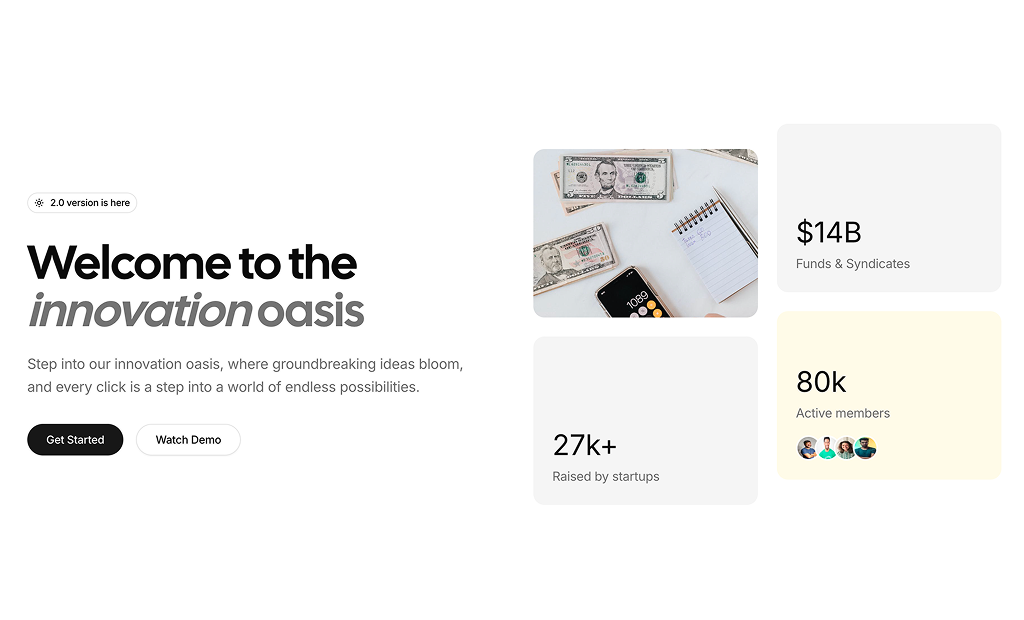
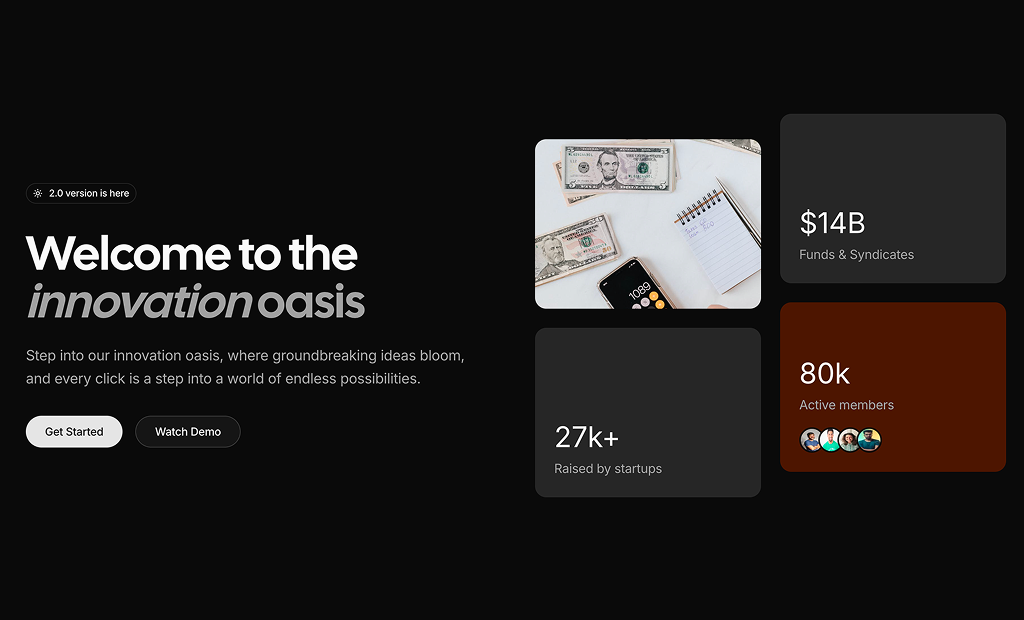
Navbar with Sheet mobile menu above a two-column hero: version badge with spinning sun icon, headline, two rounded buttons, and a card grid with a photo, two stats and member avatars.

Hero Section 6 Pro

Navbar with Login and Get Started above a two-column hero: badge, headline, paragraph, two buttons and a three-number stats row on the left, a staggered two-column product photo grid on the right.

Hero Section 7 Pro

Rounded pill navbar above a two-column hero with a trial badge, headline, inline email field with Subscribe now button and avatar rating row, beside tech logos rotating on two orbit rings.

Hero Section 8 Pro

Muted hero with a rounded navbar, pulsing member count badge, centered headline, Get Started and Book a demo buttons, a gradient divider line and four white stat cards in a grid.

Hero Section 9 Pro

Hotel hero with dropdown navbar and accordion mobile menu, a rounded photo banner with serif headline, glass booking bar with check in and check out calendars, guest select and three stats.

Hero Section 10 Pro

SaaS hero with navbar and Sheet mobile menu, linked outline badge, headline with a primary colored phrase, paragraph, single Start Free Trial button, and a wide dashboard photo cropped at the bottom.

Hero Section 11 Pro

Dark purple gradient hero with a frosted glass navbar, linked badge, white headline, Get Started and Learn More buttons, and a horizontally scrolling strip of team photos with faded edges.

Hero Section 12 Pro

Store hero with navbar, shopper avatars and five star rating, headline with a primary highlight, Shop Now and Watch our story buttons opening a video dialog, and five grayscale brand logos.

Hero Section 13 Pro

Full-viewport dental clinic photo hero darkened from the left, frosted pill navigation, Call Now button, dropdown mobile menu, and headline, paragraph and Book Appointment button anchored bottom left.

Hero Section 14 Pro

Two-column store hero with a linked badge, headline, Browse products and Explore collections buttons and an avatar order count, beside two vertical product photo marquees moving in opposite directions.

Hero Section 15 Pro

Split integrations hero with a logo navbar, pill Log in and Get started group, headline, highlighted paragraph, rounded CTA and team avatars, beside a central logo tile circled by app icons moving along two tilted orbits with depth.

About Shadcn UI Hero Section Blocks

A hero section is the opening block of a page that tells visitors what you offer and what to do next, usually with a headline, a short paragraph, one or two buttons and a supporting visual. These fourteen shadcn hero blocks range from a plain centered headline to full screen photo heroes, an AI prompt box, a hotel booking bar and animated logo or image marquees.

Like the rest of our shadcn blocks, each hero is written in React, TypeScript and Tailwind CSS and composed from shadcn ui components such as Button, Badge, Avatar, NavigationMenu, Sheet, Dialog, Calendar and Select. Most of them ship with a responsive navbar and a mobile menu, and the copy covers SaaS, ecommerce, hospitality, agency and healthcare examples you replace with your own shadcn components and content.

Key Elements of a Hero Section

  • Headline: one specific sentence that names the outcome, set as the page h1.
  • Supporting copy: one or two lines that explain who the product is for and how it helps.
  • Primary and secondary action: a strong button such as Get started next to a lighter one such as Learn more or Watch video.
  • Announcement badge: a small pill for a release, funding round or trial offer that links to more detail.
  • Visual: a screenshot, product photos, a background image or an animation that shows the product instead of describing it.
  • Trust signal: customer avatars with a rating, brand logos or a few headline numbers.

Where and Why to Use Hero Section Blocks

The hero carries most of a page’s first impression, so it pays to start from a layout that already handles spacing, responsive type and the mobile menu. Picking a block whose structure matches your offer, such as a booking form for a hotel or a prompt box for an AI tool, gets the main action above the fold without custom layout work. Since the blocks use the same shadcn ui tokens as the rest of your Tailwind CSS pages, they switch between light and dark mode with your theme.

  • SaaS homepages: a centered headline with a product screenshot or stat cards and a free trial button.
  • AI tools: a prompt box with example prompts that lets visitors try the product from the first screen.
  • Online stores: product photos, shopper ratings and Shop Now buttons for a storefront or a new collection.
  • Hotels and local services: a full photo background with a booking form or a call button for clinics and studios.
  • Agencies: bold copy with track record numbers or a gallery of team and client photos.
  • Product launches: a version or announcement badge above the headline that links to the release notes.

Hero Section Blocks in This Collection

  • Hero Section 1: The simplest starting point, useful when your page already has a navbar and you only need a message and two actions. It is also the free block in this category.
  • Hero Section 2: Choose it when reviews are your strongest argument, since the rating row sits right under the buttons.
  • Hero Section 3: Fits a release announcement where a short demo video explains the product better than a screenshot.
  • Hero Section 4: Built for AI and generator products that want visitors typing a prompt on the first screen.
  • Hero Section 5: Good for communities, investment platforms and startups that want numbers and members to share the first screen with the headline.
  • Hero Section 6: Suits brands with strong product photography, such as beauty or fashion, that also want a few business figures beside the pitch.
  • Hero Section 7: Works for developer tools and waitlists, collecting an email while the orbiting logos hint at the stack you support.
  • Hero Section 8: A good fit for agencies and studios that lead with experience and project counts.
  • Hero Section 9: Made for hotels, rentals and travel sites where picking dates is the first thing a visitor should do.
  • Hero Section 10: Use it for SaaS and analytics products where one large screenshot does the selling and a single trial button keeps the focus.
  • Hero Section 11: A dark, atmospheric opener for consultancies and agencies that want to show their people in a moving strip.
  • Hero Section 12: Fits ecommerce brands that want shopper ratings, a story video and partner logos together above the fold.
  • Hero Section 13: Designed for clinics and local service businesses where a phone call or an appointment is the conversion.
  • Hero Section 14: Suits stores with a large catalog, letting continuously scrolling product photos sit beside the headline and order count.

Similar Block Categories

  • Navbars: pair a content only hero with a standalone navigation bar.
  • Feature Sections: the natural next block after the hero, explaining what the product does.
  • Stats: expand the few numbers in a hero into a full section of results.
  • Testimonials: follow the avatar and rating row with full customer quotes.
  • Call to Action: repeat the hero’s main action at the bottom of the page.

Accessibility

Every block uses a single h1 for the headline and shadcn Button components, so actions get visible focus rings and keyboard support. The mobile menu triggers in Hero Section 4 to 7 carry an aria-label of “Open menu”, the logo links keep a screen reader name through an sr-only span, and the icon buttons in Hero Section 4 are labelled Add and Send. The video dialogs in Hero Section 3 and 12 include a visually hidden DialogTitle, trap focus while open and offer a close button with sr-only text. In Hero Section 9 the date pickers and guest Select are keyboard operable through Popover, Calendar and Select.

A few gaps are worth fixing before launch. Consider adding an aria-label to the menu buttons in Hero Section 8 to 13, a label for the prompt Textarea in Hero Section 4 and the email Input in Hero Section 7, alt text for the marquee images in Hero Section 14 and a title on the video iframes. The labels in the Hero Section 9 booking bar are not tied to their controls, so connect them with htmlFor and id. The orbit and marquee animations in Hero Section 7, 11 and 14 run continuously, so consider pausing them for visitors who prefer reduced motion.

Hero Sections FAQ

A hero section is the first block a visitor sees at the top of a page. It states what the product or business offers in a headline and a short paragraph, and gives one or two buttons for the next step, often next to an image, a product visual or a piece of social proof.

They are ready-made hero sections written in React and Tailwind CSS on top of shadcn ui components such as Button, Badge, Avatar, Sheet and Dialog. You copy a block into your project, replace the headline, images and links, and it follows your existing shadcn theme in light and dark mode.

Visitors decide within a few seconds whether a page is relevant to them, and the hero is all they see in that time. A clear headline and an obvious primary button keep people on the page and lead them to the action you care about, such as a sign up, a demo or a purchase.

A specific headline, one or two sentences of supporting copy and a primary call to action. Most heroes add a secondary button, a small announcement badge, a visual and a trust signal such as a star rating, customer avatars, brand logos or a few key numbers.

Hero Section 4 through Hero Section 13 ship with their own top navigation. Hero Section 1, Hero Section 2, Hero Section 3 and Hero Section 14 are content only, so they sit under the navbar you already have.

Most blocks with a navbar hide the desktop links below the md breakpoint and open them in a Sheet from the right. Hero Section 9 groups its submenus in an Accordion inside the Sheet, Hero Section 13 uses a DropdownMenu instead, and Hero Section 8 only renders a menu icon that you still need to wire up.

Hero Section 3 and Hero Section 12. Their Watch video and Watch our story buttons open a Dialog with a YouTube iframe that only mounts while the dialog is open, so the video starts on open and stops when it closes. Replace the embed URL in the iframe src with your own video.

Hero Section 7 rotates tech logos around two orbit rings, Hero Section 11 slides a row of photos sideways, and Hero Section 14 scrolls two image columns vertically. All three import motion/react, and Hero Section 14 also needs react-use-measure for its MarqueeEffect component.

Yes, in Hero Section 14. Each MarqueeEffect column runs at speed 30 and drops to speedOnHover 1 while the pointer is over it, so visitors can look at a product. Change both props, or the gap of 12, on the two MarqueeEffect calls.

Hero Section 4. It centers a prompt box built from a Textarea with Add and Send icon buttons, lists four example prompts as links under it and fills the screen with a radial gradient. Connect the Send button to your generation endpoint and replace the SUGGESTIONS array with your own prompts.

Check in and Check out each open a Calendar in a Popover. Past dates are disabled, picking a check in date opens the check out calendar automatically and check out can never be earlier than check in. The guest count is a Select from 1 to 4 adults. The Book Now button in Hero Section 9 has no handler yet, so read the checkIn, checkOut and guests state there and send it to your booking API.

In Hero Section 7 the email Input and the Subscribe now button sit in a plain div, not a form. Wrap them in a form element, give the button type="submit" and post the address to your newsletter or waitlist service in the onSubmit handler.

At the top of each file. Look for NAV_LINKS or NAV_ITEMS for the menu, STATS in Hero Section 6, IMAGES in Hero Section 6 and Hero Section 11, SUGGESTIONS in Hero Section 4 and images in Hero Section 14. Hero Section 8 keeps its four stats in an inline array inside the JSX, and Hero Section 5 and Hero Section 9 write their numbers directly in the markup.

Hero Section 9 puts a hotel photo with a dark gradient behind the headline and booking bar, and Hero Section 13 covers the full viewport height with a clinic photo darkened from the left. Both set the image with an arbitrary Tailwind background image class, so swap the URL inside that class to change it.

Hero Section 2, Hero Section 7, Hero Section 12 and Hero Section 14 pair an AvatarGroup with a rating or a customer count. Hero Section 12 also adds a row of grayscale brand logos, and Hero Section 5, Hero Section 6, Hero Section 8 and Hero Section 9 show key numbers instead.

Yes. Hero Section 1 is free. Add it with npx shadcn@latest add @shadcnuikit/hero1. The other thirteen hero blocks are part of All Access.
shadcn hero sections
Unlock Premium Blocks & Sections
Premium blocks are part of All Access. One license unlocks the whole Shadcn UI Kit, so you can build complete pages and products instead of single sections.
  • 550+ blocks for landing pages, stores, dashboards and apps
  • 16 admin dashboards and 17 ready-made apps
  • 5 premium Next.js website templates
  • 560+ component variants and 70+ examples
  • Install with the shadcn CLI or from your AI editor through the MCP server
  • Lifetime updates, including every new block we release
Unlock Now

One-time payment, no subscription.