Shadcn Footers Sections

Professional footer components built with shadcn/ui featuring comprehensive navigation links, contact information, social media links, and newsletter signup forms. These modern footer designs are fully customizable and brand-aligned, perfect for completing your website's user experience and providing essential site information.

Footer 1 Pro

Five column footer with the logo in the first column and four link lists for Products, Resources, Learn and About Us. On phones the logo spans the top and the lists form two columns.

Footer 2 Pro

Compact footer with the logo, five text links and five social icons in one row on large screens, then a separator, a dynamic copyright year and privacy, terms and cookie links.

Footer 3 Pro

Newsletter row with heading, text, email input and Subscribe button, then the logo with Company, Products, Resources and Support link columns and a bottom bar with copyright, legal links and social icons.

Footer 4 Pro

Footer with the logo, newsletter text, email input, outline Subscribe button and privacy consent note on the left, Company, Products and Follow us columns with labelled social links, and a legal bar.

Footer 5 Pro

Rounded top card on a muted background with logo, description and five social icons, Products, Resources and Company columns with a Hiring tag, a copyright row and a large outlined Shadcn wordmark.

Footer 6 Pro

Muted footer with a centered newsletter card holding a rounded email input and Subscribe button, then the logo, round social icons, three link columns and a copyright bar with a back to top button.

Footer 7 Pro

Three column footer with the logo and an Explore Components button, a Contact column with email and X, GitHub and Discord icons, a two column quick links list and a legal bottom bar.

Footer 8 Pro

Muted area with a centered heading, text and rounded free trial button above a card holding the logo, description, two social icons and Pages and Information link lists, plus a credit line.

Footer 9 Pro

Three column footer with the logo and description, a list of large bold page links and a stack of social links with arrow icons, followed by a copyright and licences bar.

Footer 10 Pro

Call to action footer on a purple radial gradient with an availability badge, large Are you ready headline, Book a Call and See Plans buttons, and a bottom link bar with a logo credit.

Footer 11 Pro

Photo panel with a Let's Connect title beside Visit, Write and Call rows, then a centered newsletter with round send button, uppercase navigation links, the logo and a copyright line.

Footer 12 Pro

Headline with an outline Get started button above a separator, then the logo, tagline and four labelled social icons beside Company, Pages and Services link columns.

About Shadcn UI Footers Blocks

A footer closes every page with the links, contact details and legal information visitors look for once they reach the bottom. These twelve shadcn footer blocks range from classic multi column sitemaps and a one row minimal footer to layouts with a newsletter sign-up, a closing call to action or a contact panel.

Like the rest of our shadcn blocks, every footer is built with React, TypeScript and Tailwind CSS and uses shadcn ui components such as Button, Input, Card, Badge and Separator where needed. Links live in plain markup or small arrays, the logo is a single image you swap, and these shadcn components adapt to your light and dark theme.

Key Elements of a Footer

  • Brand: your logo and, if useful, one sentence about what the company does.
  • Grouped links: columns such as Product, Company, Resources and Support that act as a compact sitemap.
  • Social profiles: icons or text links to the networks where you are active.
  • Legal bar: privacy, terms and cookie links next to the copyright line.
  • An optional action: a newsletter field, contact details or a last call to action.

Where and Why to Use Footer Blocks

The footer appears on every page, so it is one of the most viewed parts of a site even though it sits at the bottom. A well organized footer helps visitors who did not find what they wanted, supports SEO with consistent internal links and is a natural place for a final conversion. These blocks share the same shadcn ui and Tailwind CSS tokens as the rest of your layout, so the footer matches your header and pages without extra work.

  • SaaS marketing sites: a multi column footer that links product, pricing, docs and company pages.
  • Landing pages: a footer with a closing call to action catches visitors who scrolled to the end.
  • Blogs and content sites: add a newsletter sign-up to the footer of every article.
  • Agencies and consultancies: combine services, a strong headline and a get started button.
  • Local and lifestyle businesses: show the address, email and phone in the footer with a photo.

Footer Blocks in This Collection

  • Footer 1: A dense sitemap footer for products with many pages, where visitors use the footer as navigation.
  • Footer 2: A slim option for small sites that only need a handful of links, socials and legal pages.
  • Footer 3: A complete SaaS footer that leads with a newsletter before the link columns and legal bar.
  • Footer 4: Gives the newsletter more weight next to the brand and lists social networks as labelled links.
  • Footer 5: A design forward footer for brands that want a large outlined wordmark as the final visual.
  • Footer 6: Suits community driven products, pairing a sign-up card with compact link columns and a back to top control.
  • Footer 7: A short, friendly footer for component libraries and developer tools with a contact email and quick links.
  • Footer 8: Combines a free trial prompt with a carded footer, a good fit for product sites that want one last conversion.
  • Footer 9: A bold, typographic footer with oversized links, suited to portfolios and creative studios.
  • Footer 10: Turns the footer into a full call to action with a glowing backdrop, ideal for agencies taking bookings.
  • Footer 11: Built for local businesses such as studios or real estate, putting the address, email and phone next to a photo.
  • Footer 12: A clean footer for consulting firms that opens with a direct question and a get started button.

Similar Block Categories

  • Navbars: pair the footer with a header that uses the same links and logo.
  • Newsletter Sections: a larger sign-up section to place just above the footer.
  • Call to Action: a standalone closing section if your footer has no CTA.
  • Contact Us: a full contact section for the page the footer links to.

Accessibility

Footer 2, Footer 3 and Footer 12 give each icon-only social link an aria-label, and Footer 4 and Footer 9 show the network name as visible text. Every logo image has alt text. In Footer 5, Footer 6, Footer 7 and Footer 8 the social links contain only an SVG, so consider adding an aria-label to each link. The back to top button in Footer 6 and the send button in Footer 11 are icon-only as well and would benefit from an aria-label.

The newsletter fields in the footers use placeholders without a label, so consider adding a visually hidden label. Footer 8 wraps everything in a div with no footer element, so consider changing that wrapper to a footer to give screen reader users a landmark they can jump to.

Footers FAQ

A footer is the section at the bottom of every page. It usually holds the logo, grouped navigation links, social profiles, legal links and a copyright line, and it gives visitors who reach the end of a page a place to go next.

They are ready-made footer layouts built with React and Tailwind CSS, using shadcn ui components such as Button, Input, Card, Badge and Separator where needed. You replace the logo, link labels and URLs, and the layout stays the same across your site.

Many visitors scroll to the bottom looking for contact details, pricing, careers or legal pages. A clear footer catches them, helps search engines discover important pages and adds trust with company details and social links.

Your logo, three or four columns of grouped links, social profiles, privacy and terms links and a copyright line. Depending on your goals, add a newsletter sign-up, contact details or a final call to action above the links.

Add it once to your root or marketing layout so it renders on every page, below the page content. Keep page specific calls to action in the page itself and use the footer for links that apply everywhere.

Each footer renders the logo as an image from /logo-full.svg, so swap the file or the src for your own logo. Links are either written inline or kept in small arrays such as navColumns, navLinks, pages or quickLinks at the top of the file. Replace the labels and the # placeholders with real URLs.

Footer 3 puts a newsletter row above the link columns, Footer 4 places the sign-up under the logo with a consent note, Footer 6 shows it in a centered card and Footer 11 uses a round send button next to the email field. Wrap the field in a form and connect it to your email provider.

Footer 8 opens with a heading, a line of text and a free trial button, Footer 10 has a large “Are you ready?” headline with Book a Call and See Plans buttons, and Footer 12 starts with a headline and a Get started button. Footer 7 adds a smaller Explore Components button under the logo.

Footer 6. A round button in the bottom bar calls window.scrollTo with smooth scrolling. Because it uses an onClick handler, the file needs the “use client” directive when you render it from a Server Component in the Next.js App Router.
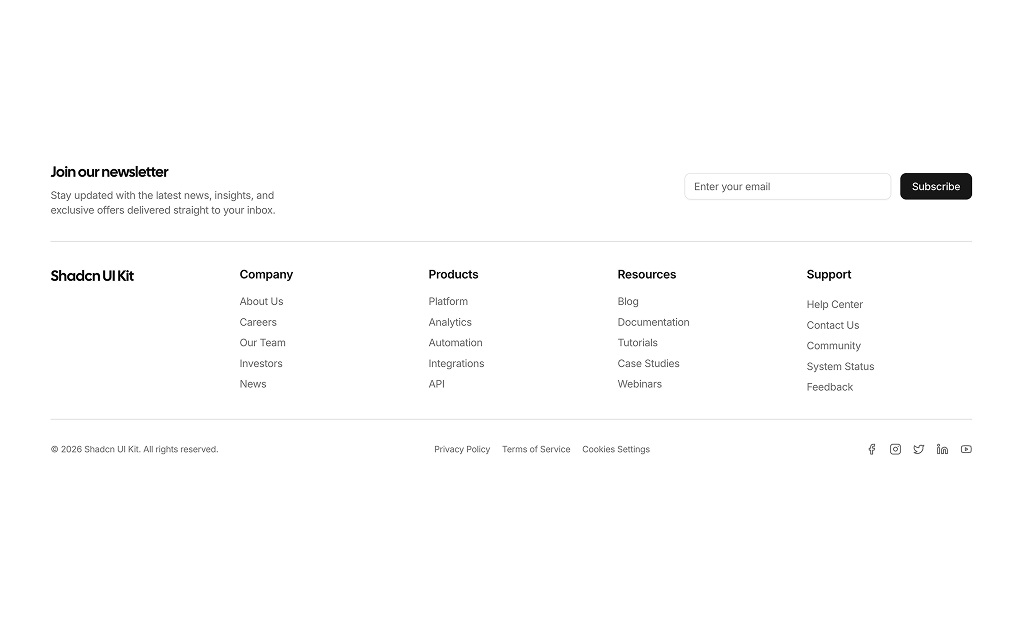
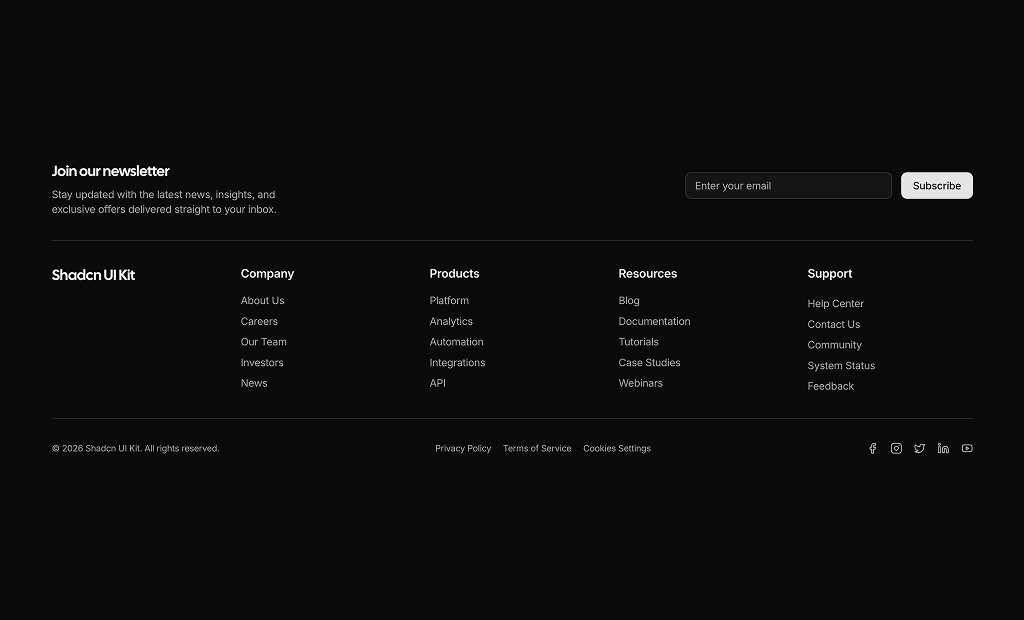
Footer 1 has four columns with six or seven links each, and Footer 3 adds a newsletter row and a legal bar to four columns of five links. Both handle large SaaS or documentation sites where the footer doubles as a sitemap.

Footer 2. It fits the logo, five links and five social icons in one row on large screens, followed by a separator, the copyright and three legal links. It suits small sites and single page products.

No. Most footers use lucide-react icons or inline SVG for the social links and shadcn components such as Button, Input, Card, Badge or Separator. Footer 11 uses next/image for its photo, and the background glow in Footer 10 is plain CSS gradients.

Link columns collapse into one or two columns and the bottom bars stack vertically. In Footer 1 and Footer 3 the logo spans the full width above two link columns, and Footer 11 stacks its photo above the contact rows.

Footer 2, Footer 3 and Footer 4 already print the current year with new Date().getFullYear(). The other footers use a fixed year in the text, so replace it with the same expression if you do not want to update it by hand.

No. All twelve footer blocks are part of All Access, the one-time license that also unlocks every other block, admin dashboard and template with lifetime updates.
shadcn footers sections
Unlock Premium Blocks & Sections
Premium blocks are part of All Access. One license unlocks the whole Shadcn UI Kit, so you can build complete pages and products instead of single sections.
  • 550+ blocks for landing pages, stores, dashboards and apps
  • 16 admin dashboards and 17 ready-made apps
  • 5 premium Next.js website templates
  • 560+ component variants and 70+ examples
  • Install with the shadcn CLI or from your AI editor through the MCP server
  • Lifetime updates, including every new block we release
Unlock Now

One-time payment, no subscription.