Shadcn Form Layouts Blocks

Comprehensive form layout components built with React, TypeScript, and shadcn/ui, featuring integrated Zod validation, type-safe state management, and responsive grid structures. These modular Tailwind CSS blocks are designed to simplify complex data entry, ensuring a consistent user experience and high submission accuracy for your web applications.

Form Layout 1 Pro

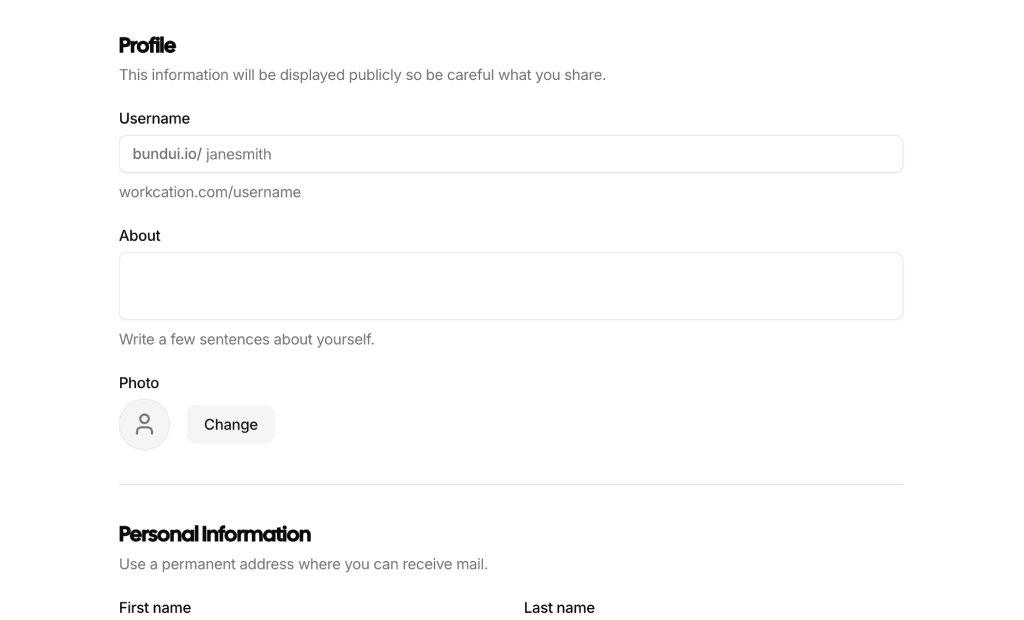
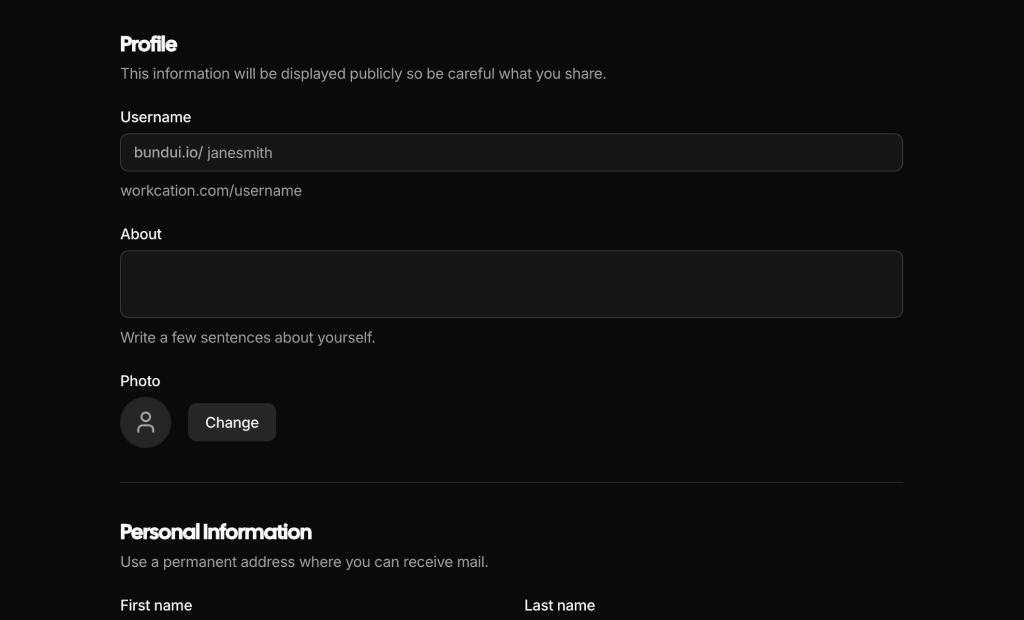
Account settings page with three titled sections: avatar upload, handle and bio with counter, contact and address fields, email digest checkboxes and push mode cards, plus a sticky save bar with discard.

Form Layout 2 Pro

Workspace creation card with owner name, email, birth year and locked role, workspace name with live subdomain, access select, note counter, three plan radio cards, team alert checkboxes and success summary.

Form Layout 3 Pro

Mentor profile card with label-left rows: photo upload, name, birth date and slot pickers, time inputs, expertise tag input with suggestions, visibility select, status switch and a live completion percentage badge.

Form Layout 4 Pro

Staff account page with a profile card for photo, name, email, phone, role and clinic selects, and a password card with show toggles, four segment strength bar, rules checklist and sign-out checkbox.

Form Layout 5 Pro

Workshop feedback form with answered progress bar, name and email fields, five face rating cards, session checkbox cards, highlight textarea with counter, 0 to 10 scale, follow-up switch and thank-you summary.

Form Layout 6 Pro

Two column checkout with payment method cards, auto-formatted card number with brand badge, expiry and CVC, country based billing address, renewal checkbox and a sticky summary with promo code, tax and pay button.

Form Layout 7 Pro

Freelancer settings in two cards that save separately: personal details with photo dropzone, and public profile with availability switch revealing rate and start date, handle availability icon, website prefix and bio counter.

Form Layout 8 Pro

Wholesale order form with order type, copyable order number, date picker, PO and customer selects that set currency, amount with converted USD base, warehouse and project selects, note counter and invoice confirmation.

Form Layout 9 Pro

Client project form with label-left rows: name, portal slug filled from the name, engagement radio cards, budget, kickoff and template selects, stakeholder chip input, digest switch, brief counter and summary footer.

Form Layout 10 Pro

Sign-up card with email, username availability icon, password toggle with rules checklist and five segment strength meter, region and role selects, terms checkbox and a confirm your email success view.

Form Layout 11 Pro

Space creation card with square cover image dropzone, name with hashtag handle and counter, purpose textarea, visibility and topic selects, and a multi-select invite combobox that accepts directory people or guest emails.

Form Layout 12 Pro

Campaign form with Draft with AI button, name, date range picker, brand select with inline new brand, owner select, budget and impressions with CPM line, brief, attachment, channel toggles and status cards.

Form Layout 13 Pro

Five tab product form with progress: title and category suggestions, size and color variant table with stock and price, pricing panel, image uploads with cover, markdown description, keyword chips and shipping options.

Form Layout 14 Pro

Public page editor with cover banner and overlapping avatar, display name, debounced username availability check, website prefix, photo upload, bio formatting toolbar with counter, role checkbox and booking email.

Form Layout 15 Pro

Workspace settings page with vertical tabs that become a select on mobile: organization name, slug, tagline and logo upload, member invites with role selects and seat count, and a billing contact form.

About Shadcn Form Layouts Blocks

A form layout arranges the fields, labels, help text, errors and actions that collect information from a user, from a two field sign up to a five step product listing. These 22 shadcn form layout blocks cover account and profile settings, workspace and store configuration, onboarding wizards, checkouts and create forms for projects, campaigns and events.

Like the rest of our shadcn blocks, every form is built with React, TypeScript and Tailwind CSS on top of shadcn ui components such as Field, Input, InputGroup, Select, RadioGroup, Checkbox, Switch, Calendar and Combobox. Validation runs on react-hook-form with zod schemas, and each block ships with realistic defaults, live counters or previews, loading states and a success view, so the shadcn components already behave like a finished form.

Key Elements of a Form Layout

  • Grouped sections: related fields collected under a heading, a fieldset or a tab, so long forms stay scannable.
  • Visible labels and help text: labels linked to their inputs plus short descriptions for formats and limits.
  • Inline validation: errors shown under the field that caused them, after the user leaves it.
  • Smart inputs: prefixes, counters, masks, pickers and chip inputs that prevent mistakes before submit.
  • Clear actions: a primary save or submit button, a way to discard changes and visible feedback while saving.
  • Confirmation: a success view, saved message or summary that tells the user what happened.

Where and Why to Use Form Layout Blocks

Forms carry the most important moments of a product: sign up, payment, configuration and content creation. Getting validation, error states, responsive columns and save behavior right takes time, and these blocks give you that work ready to edit. Because they use the same shadcn components and Tailwind CSS tokens as the rest of your shadcn ui dashboard, they look consistent next to tables, dialogs and cards.

  • Account settings: profile, password, notification and preference pages for signed in users.
  • Workspace and store setup: organization details, members, branding, checkout and policy options.
  • Sign up and onboarding: account creation and multi step wizards that collect company and plan details.
  • Checkout and orders: payment, delivery and wholesale order forms with live totals.
  • Create flows: new projects, campaigns, events, spaces and product listings.
  • Feedback and surveys: short questionnaires with ratings, checklists and scales.

Form Layout Blocks in This Collection

Account and profile settings

  • Form Layout 1: Use it for a full account page where users edit several areas and save everything once from the bottom of the screen.
  • Form Layout 3: Fits marketplace or mentor profiles, where a completion score nudges people to fill every field.
  • Form Layout 4: A staff or employee account page that keeps profile details and the password change in two separate cards.
  • Form Layout 7: Suits freelancer or creator platforms where availability decides which pricing fields appear.
  • Form Layout 14: A public page editor for products where each user has a shareable profile URL.
  • Form Layout 19: Choose it for a complete settings area that includes security, notifications and account deletion.
  • Form Layout 22: A medium sized profile split into three tabs when a single long page would feel heavy.

Workspace and store settings

  • Form Layout 2: A one card setup for SaaS products that create a workspace and pick a plan in the same step.
  • Form Layout 11: Use it in team chat or community apps to create a space and invite people, including guests by email.
  • Form Layout 15: An admin settings page where organization, members and billing each save on their own.
  • Form Layout 16: Fits e-commerce builders that configure a storefront, checkout rules and return policies.

Sign up, onboarding and wizards

  • Form Layout 10: A compact sign up card for products that reserve a username at registration.
  • Form Layout 20: A guided onboarding flow that collects account, company and plan details before the first login.
  • Form Layout 21: Suits marketplaces where sellers list an item step by step and check everything on a review screen.
  • Form Layout 13: The most complete product form, for shops that sell items with sizes, colors and per variant stock.

Checkout and orders

  • Form Layout 6: A subscription upgrade or SaaS checkout with the order summary always in view.
  • Form Layout 8: Fits B2B and ERP tools where sales staff enter orders in different currencies.
  • Form Layout 17: A consumer checkout for gifts or deliveries that need a recipient, a delivery date and a message.

Create forms and surveys

  • Form Layout 5: Use it after events, courses or workshops to collect ratings and comments in about two minutes.
  • Form Layout 9: An agency or client portal intake form that turns a project name into a portal address.
  • Form Layout 12: Fits marketing tools, with an AI draft button that fills the whole form as a starting point.
  • Form Layout 18: A calendar app event form for scheduling a meeting with guests and an online or physical location.

Similar Block Categories

  • Sign In Forms: pair account creation forms with login and password reset screens.
  • Onboarding Screens: add welcome and setup screens around a multi step form.
  • Modal Dialogs: move short create forms into a dialog instead of a full page.
  • Tables: list the records that your create and edit forms produce.
  • Checkout Page: see full store checkout layouts next to the payment forms here.

Accessibility

The forms use the shadcn Field components, so each FieldLabel is tied to its control with htmlFor and id, invalid controls receive aria-invalid, and errors appear in FieldError right below the field. Forms set noValidate and let zod produce readable messages. Several blocks announce changes politely: the save status in Form Layout 1, the status line in Form Layout 3, the username check in Form Layout 14 and the total in Form Layout 17 use aria-live or role=β€œstatus”. Password toggles in Form Layout 4, 10 and 19 expose aria-pressed, rule lists add sr-only β€œmet” or β€œdone” text, and tag inputs support Enter, comma and Backspace from the keyboard.

A few spots can be improved. The time window group in Form Layout 17 and the billing cycle toggle in Form Layout 20 have labels that are not linked to a control, so consider a fieldset with a legend. The dots that mark unsaved or invalid tabs in Form Layout 15 and 22 put an aria-label on a plain span, where visually hidden text would be read more reliably. Form Layout 22 marks required fields with an asterisk only, so adding aria-required to those inputs is a good idea.

Form Layouts FAQ

A form layout is the arrangement of fields, labels, help text, validation messages and actions that collect input from a user. It decides how fields are grouped into sections, how many columns they use, where errors appear and where the save or submit buttons sit.

They are complete, working forms built with shadcn ui and Tailwind CSS. Each block combines shadcn components such as Field, Input, InputGroup, Select, RadioGroup, Checkbox, Switch and Calendar with react-hook-form and zod, so validation, error messages and submit states already work when you add it to your project.

Forms are where users give you data, money or commitment, so friction costs real conversions. Clear grouping, labels that stay visible, errors next to the field and a predictable save action reduce abandonment and support requests, especially on long settings pages and checkouts.

A visible label for every field, short help text where the format is not obvious, inline errors that explain how to fix the value, sensible defaults, grouped sections for long forms, a clear primary action and feedback after submit. Counters, previews and progress indicators help on longer or multi step forms.

Every block defines a zod schema and passes it to useForm through zodResolver from @hookform/resolvers, with mode set to onTouched so errors appear after a field is left. Messages render with the shadcn FieldError component and controls get aria-invalid. Cross field rules, such as matching passwords in Form Layout 4 or card checks in Form Layout 6, use refine or superRefine.

All 22 blocks need react-hook-form, @hookform/resolvers, zod and lucide-react. Form Layout 17 and Form Layout 22 also import date-fns, and Form Layout 12 imports a type from react-day-picker. Form Layout 11, Form Layout 13 and Form Layout 18 use the Combobox component, which is built on @base-ui/react, and Form Layout 20 and Form Layout 21 use a Stepper component. Form Layout 1 imports a useFileUpload hook from your hooks folder.

Each block has an onSubmit function that receives the validated values. In the demo it waits for a short timeout and then shows a success view or a saved message. Replace that delay with your fetch or server action call, and keep the reset call after a successful save so the dirty state clears.

Form Layout 20 is a three step onboarding wizard with a horizontal stepper, Form Layout 21 is a four step product listing wizard with a vertical step rail and a review step, and Form Layout 13 splits a product form into five tabs with a Continue button that validates each step before moving on.

Form Layout 1 stacks three titled sections with a sticky save bar. Form Layout 15 and Form Layout 19 use vertical tabs that turn into a Select on small screens, Form Layout 16 uses scrollable tabs with a sticky save bar, and Form Layout 22 uses three tabs that jump to the first tab with an error on submit.

Yes. Form Layout 6 is a plan upgrade checkout with payment method cards, a card number that formats itself and passes a Luhn check, a billing address that changes labels by country, a promo code and a sticky order summary. Form Layout 17 is a delivery checkout with a date picker, time window cards and a sticky total bar. Form Layout 8 is a wholesale order form with currency conversion.

Form Layout 4, Form Layout 10 and Form Layout 19 combine show and hide toggles with a strength meter and a rules checklist. Form Layout 20 has password and confirm fields with visibility toggles in its first step.

Profile photos or logos can be uploaded in Form Layout 1, Form Layout 3, Form Layout 4, Form Layout 7, Form Layout 14, Form Layout 15, Form Layout 16 and Form Layout 19. Form Layout 11 has a cover image dropzone, Form Layout 13 accepts up to eight product images with a cover choice, and Form Layout 12 attaches a brief file. The files are previewed in the browser, so you add your own upload request.

Yes. Form Layout 3 adds expertise tags with Enter or a comma, Form Layout 9 collects stakeholder names as chips, Form Layout 11 and Form Layout 18 invite people through a multi select Combobox that also accepts email addresses, and Form Layout 13 uses chip Comboboxes for sizes, colors and keywords.

Paired fields use grid classes like sm:grid-cols-2, so they stack into one column on phones. Label left layouts such as Form Layout 3 and Form Layout 9 switch to stacked labels below the md breakpoint, vertical tab navigation in Form Layout 15 and Form Layout 19 becomes a Select, and footers stack with full width buttons on small screens.
Form Layout 3, Form Layout 8, Form Layout 17 and Form Layout 22 use a single date Calendar in a Popover, Form Layout 12 picks a date range for a campaign, and Form Layout 18 pairs a date with start and end time Comboboxes that show the event duration.

No. All 22 form layout blocks are part of All Access, the one-time license that also unlocks every other block, admin dashboard and template with lifetime updates.
shadcn form layouts blocks
Unlock Premium Blocks & Sections
Premium blocks are part of All Access. One license unlocks the whole Shadcn UI Kit, so you can build complete pages and products instead of single sections.
  • 550+ blocks for landing pages, stores, dashboards and apps
  • 16 admin dashboards and 17 ready-made apps
  • 5 premium Next.js website templates
  • 560+ component variants and 70+ examples
  • Install with the shadcn CLI or from your AI editor through the MCP server
  • Lifetime updates, including every new block we release
Unlock Now

One-time payment, no subscription.