Neofolio - Next.js Portfolio Template
Neofolio is a portfolio website template with a dashboard style layout, developed with Next.js, React and TypeScript and designed with Tailwind CSS and shadcn/ui components. Showcase your projects, sell digital products, and present your experience through a clean, responsive interface with dark mode support. Ideal for developers, designers, and freelancers.
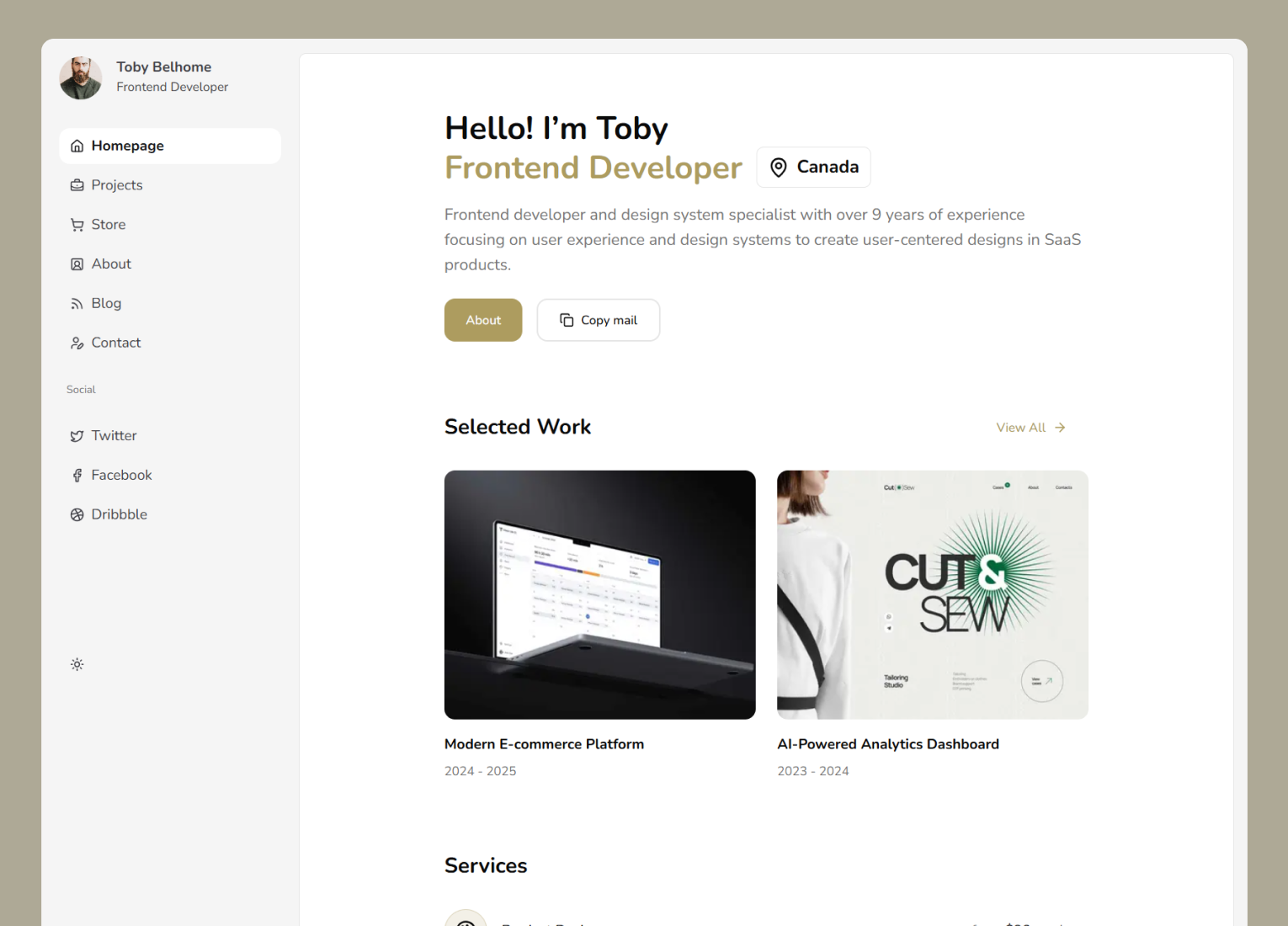
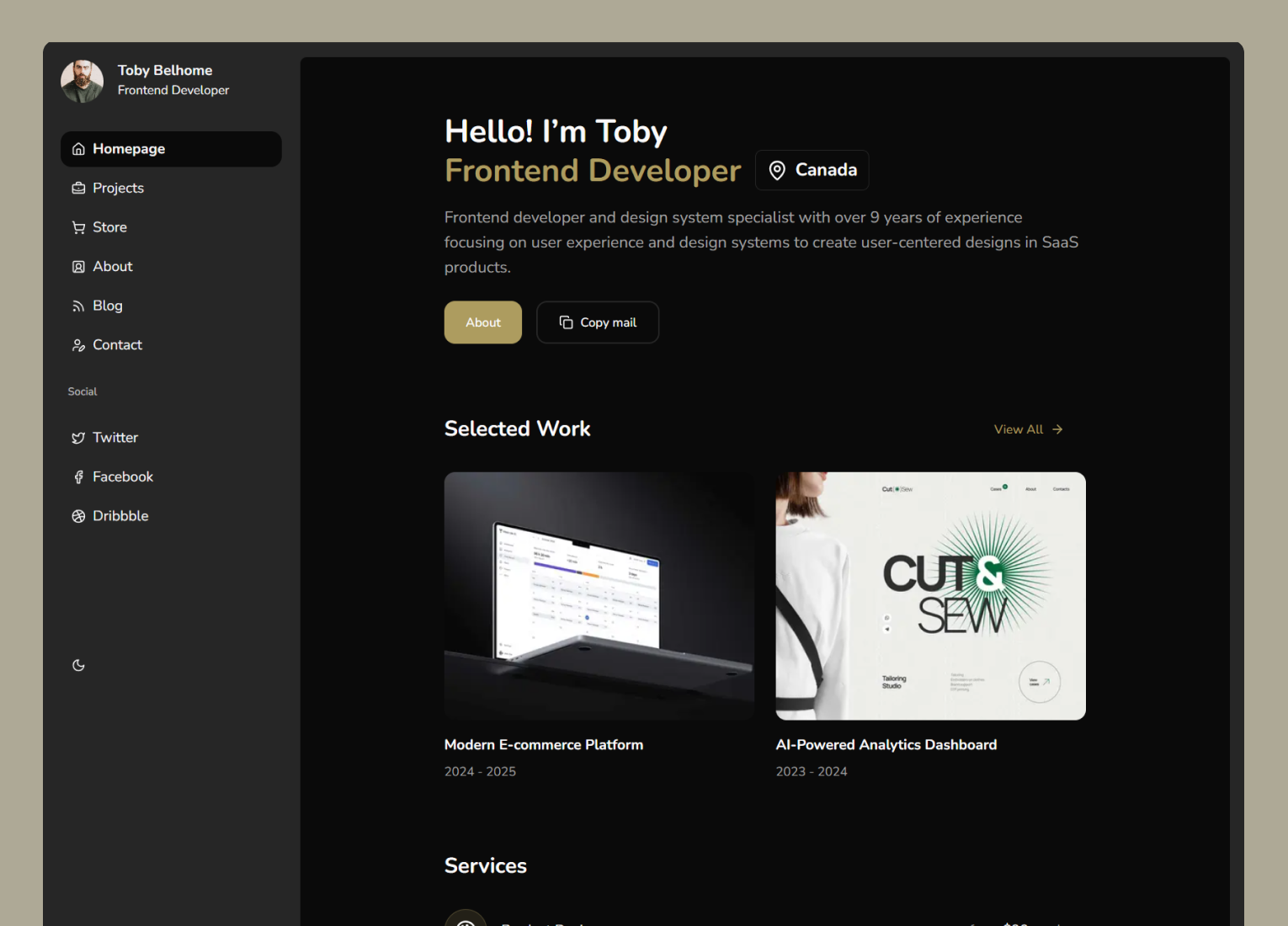
What is included in Neofolio
Neofolio is a shadcn website template made for personal brands. It brings a portfolio, a blog and a small digital store together in one project, so you can launch your personal site without stitching separate themes together.
Dashboard style portfolio layout. A distinctive sidebar driven design that presents you and your work like a product, not a plain one page resume.
Project and work showcase. Dedicated sections to highlight projects, products and experience so visitors instantly see what you do best.
Next.js, Tailwind CSS and shadcn/ui. A clean, well structured codebase built on the latest versions, easy to customize and extend.
Dark mode. Light and dark themes work out of the box and follow your visitor's system preference.
TypeScript and SEO ready. Fully typed code plus metadata best practices so your portfolio ranks well on search engines.
Responsive on every device. The layout adapts from large desktop screens down to phones without any extra work.
Pages in Neofolio
Neofolio splits your personal site into focused pages, each reachable from the sidebar. Projects, store items and blog posts all have their own detail pages, so every piece of work can be shared with a direct link.
Homepage
An introduction, selected projects, latest articles and contact details.
Projects
A list of all your projects and case studies.
Project details
A detail page for each project with its full story.
Store
A storefront for digital products such as templates, UI kits and plugins.
Product details
A detail page for each product you sell.
About
Your background and experience.
Blog
A list of your articles.
Blog post
A reading page for each article.
Contact
Ways to reach you and book a call.
Who Neofolio is for
Neofolio is for people whose work speaks best when it is organized well. If a classic one page portfolio feels too small for your projects, writing and products, this layout gives each of them its own place.
Developers and designers. Present your skills, side projects and case studies through a portfolio that stands out from generic themes.
Freelancers selling services or products. Turn your portfolio into a storefront and convert visitors into clients.
Anyone building a personal brand. Share who you are, what you make and how to reach you from a single polished site.
Customize Neofolio with AI tools
A portfolio changes every time you ship something new, and AI coding assistants make those updates quick. Because Neofolio is a regular Next.js project built with shadcn/ui, tools like Claude Code and Cursor can add projects, posts and products for you.
Add a new project in seconds. Describe your latest project and let your assistant create the entry with title, summary and images in the same format as the existing ones.
Publish blog posts faster. Ask an AI tool to turn your notes into a new article page that follows the template's blog layout.
Personalize the design. Request a new accent color, font pairing or sidebar order and the assistant updates the theme tokens instead of hardcoding styles.
Neofolio FAQ
More templates
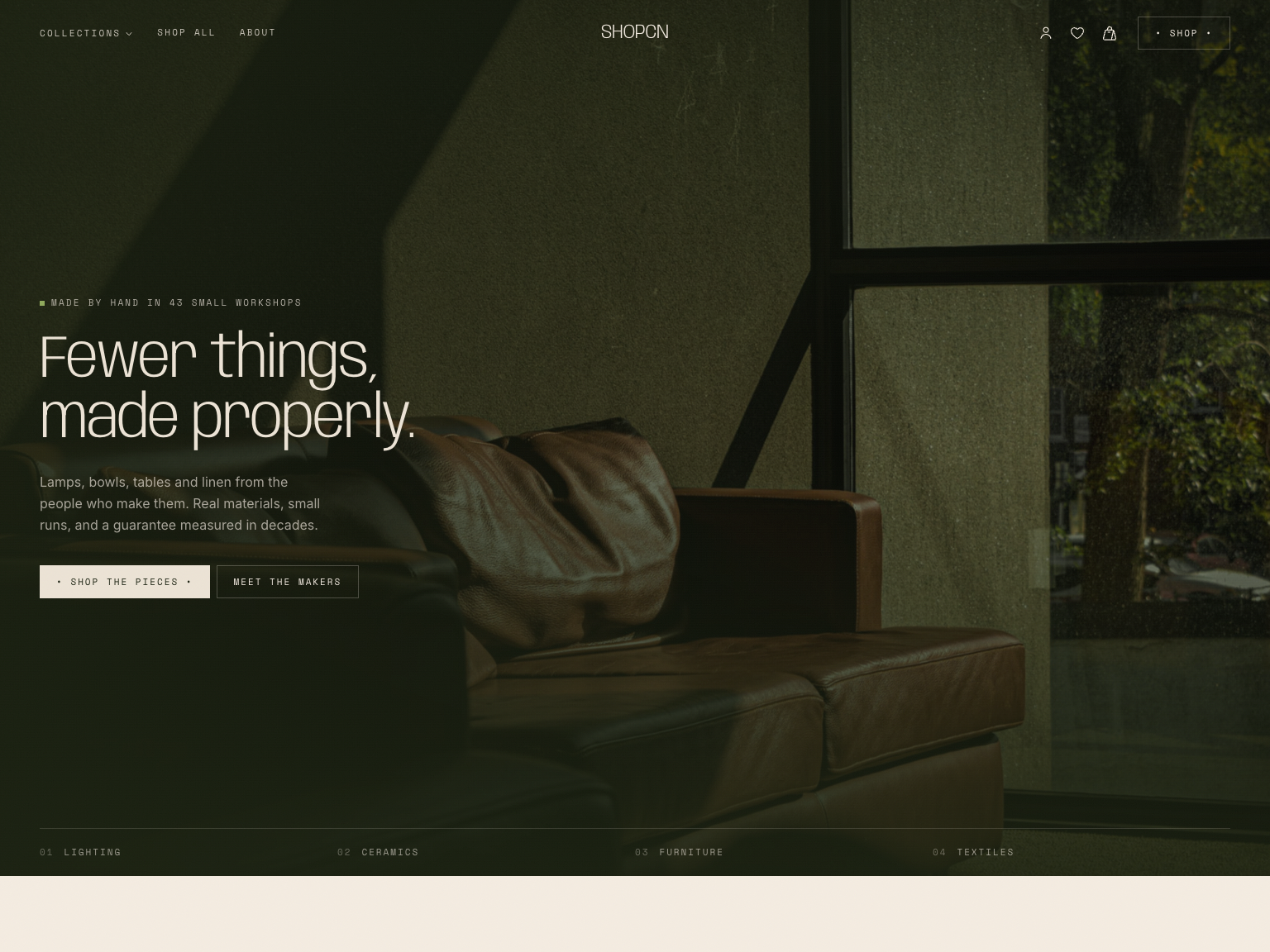
Shopcn - Next.js E-commerce Template
A complete storefront for independent brands.

Signalry - Next.js AI SaaS Landing Page Template
An animated landing page for AI and SaaS products.
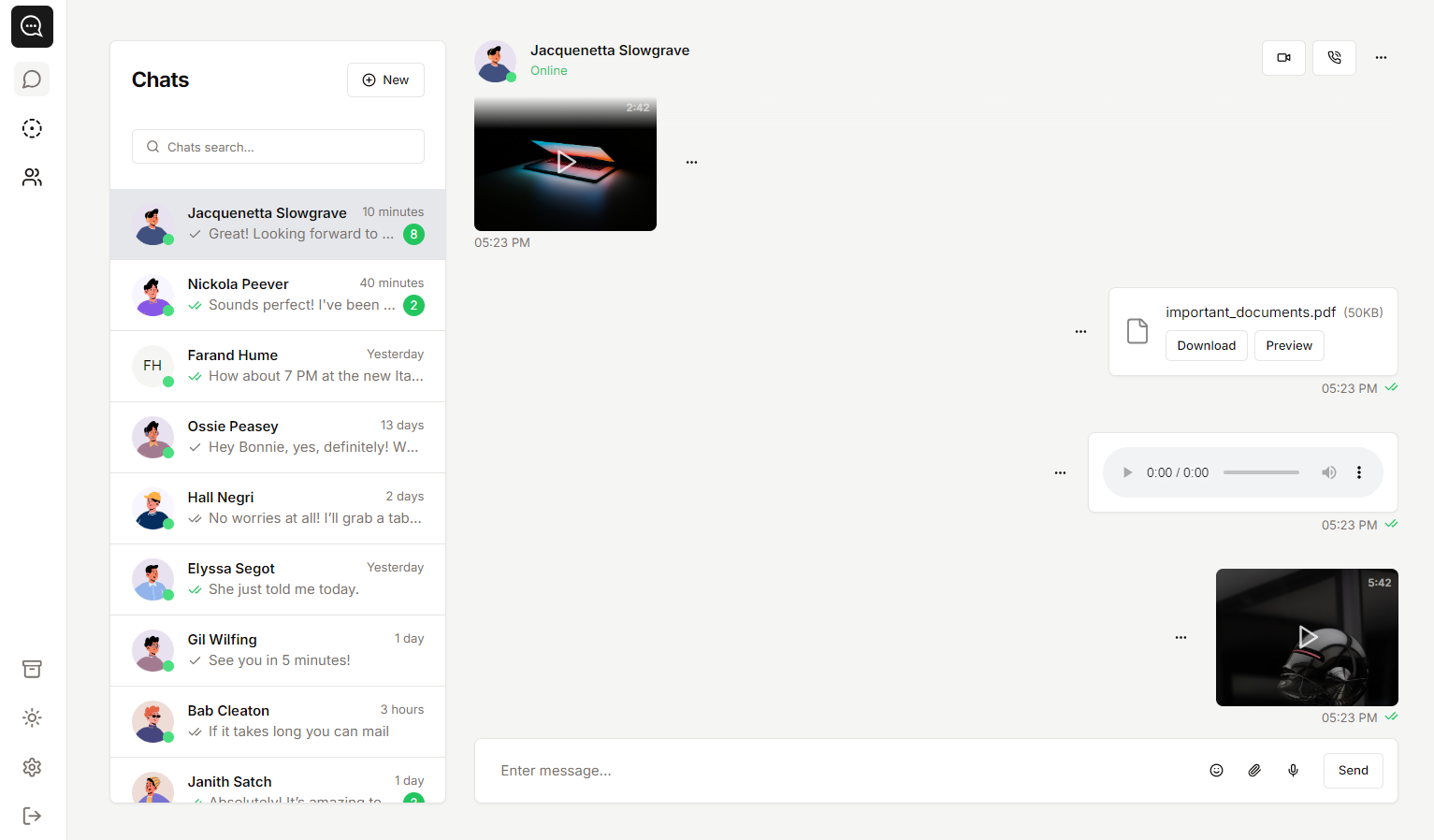
Soho - Next.js Chat App Template
A template you can use to create chat-style apps.

Cosmic - Next.js SaaS Landing Page Template
A high converting landing page.